


Magnetic keyboards utilizing Hall Effect technology have transformed the competitive gaming landscape, offering unprecedented speed through Rapid Trigger (RT) features. However, as the market matures, many early adopters are discovering that high-speed performance often comes with significant trade-offs in build quality, layout utility, and sensory experience. If you find your current device lacks the versatility for professional work or feels structurally underwhelming, you are likely encountering the common "hidden flaws" of mainstream magnetic boards.
This guide explores how to identify these limitations and what to look for in a truly balanced setup.
Stop Settling for the "68-Key" Cramped Layout

The trend toward ultra-compact 60% or 65% layouts is driven by the desire to maximize mouse space for low-sensitivity FPS gaming. While effective for professional esports, this "miniaturization" often becomes a hindrance for anyone who uses their computer for more than just gaming. Removing the numpad and function row forces users to memorize complex "Fn" layers, which can interrupt the flow of both creative and administrative work.
The efficiency gap in daily productivity
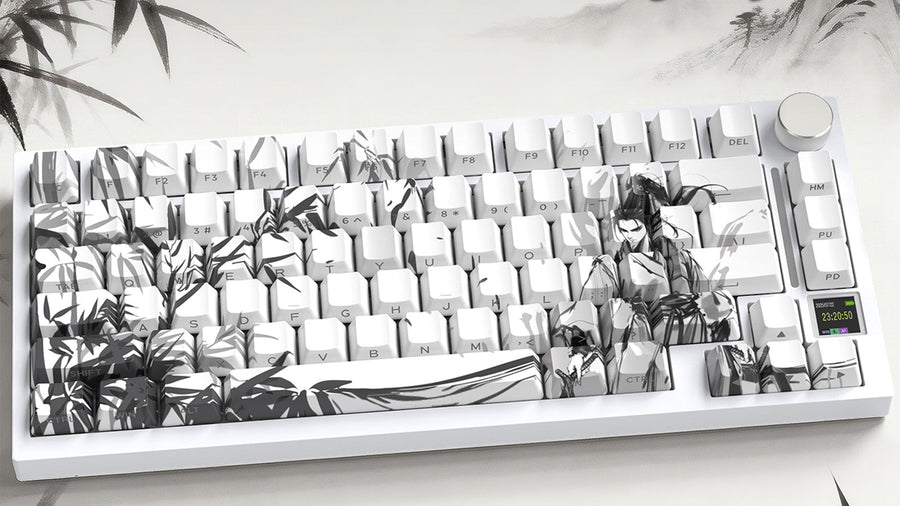
For professionals in finance, coding, or data management, the lack of a dedicated numpad is often a deal-breaker. When you are forced to use the top number row for data entry, your speed can drop significantly. Many gamers eventually find that a 98 layout keyboard is a more practical solution. It provides a near-full-size experience, including the essential number pad and function row, while remaining compact enough to ensure your mouse arm has sufficient room to move during intense matches.
Mouse space vs. utility: finding the middle ground
The fear of a keyboard being "too big" for gaming is often exaggerated. A 98% layout is significantly narrower than a traditional 104-key board because it eliminates the wasted "dead space" between the main typing area and the navigation cluster. This design allows you to maintain an ergonomic shoulder width during gaming while having the tools necessary for professional tasks. It effectively positions itself as the best keyboard for gaming and work by refusing to sacrifice one for the other.
Why the 98 layout keyboard is gaining traction
As the "all-in-one" desk setup becomes more popular, users are looking for peripherals that transition seamlessly from a morning Zoom call to an evening Valorant session. The 98-key form factor retains dedicated arrow keys and "Del/Ins" keys, which are vital for document editing. By choosing this layout, you eliminate the learning curve of a 60% board and reduce the mechanical friction of switching between gaming and professional software environments.
Does Your Magnetic Keyboard Feel Like a Cheap Plastic Toy?
Many high-performance magnetic boards prioritize internal sensors over external build quality. This often results in lightweight plastic housings that flex under pressure or vibrate during rapid typing. Because Hall Effect sensors rely on precise magnetic distances, any structural instability in the keyboard frame can theoretically impact the consistency of your actuation points. RTINGS explains that Hall Effect keyboards use magnetic sensors to detect key position rather than relying on traditional metal contact points, which makes stable sensing and calibration especially important in a Hall Effect keyboard.
The structural importance of case materials
Standard ABS plastic cases are prone to resonance, which creates a hollow, "cheap" sound. Furthermore, plastic can warp slightly over time, potentially affecting the alignment of the internal PCB. For those seeking a hall effect keyboard with premium build quality, materials like carbon fiber composite are becoming the new gold standard. Carbon fiber offers an exceptional strength-to-weight ratio, ensuring the frame remains perfectly rigid even during the most aggressive gaming sessions.
Why carbon fiber is a game-changer for durability
Using carbon fiber for both the top cover and the keycaps provides a tactile rigidity that traditional materials cannot match. Carbon fiber composite is known for its high compressive strength and resistance to deformation. In a magnetic keyboard, this means the keys do not "wobble" or feel soft when bottoming out. This material also features a unique forged texture that resists fingerprints and oil, keeping the device looking professional over years of heavy use.
Stabilizing inputs with metal positioning plates
The positioning plate sits between the switches and the PCB, acting as the keyboard's skeleton. While some boards use flexible PC (polycarbonate) plates, an aluminum alloy positioning plate is often preferred for magnetic switches. Aluminum provides the necessary stiffness to suppress board-level resonance and ensures that every keypress feels identical across the entire surface. This stability is crucial for maintaining the accuracy of micron-level RT adjustments.
Why "Gaming Speed" Shouldn't Mean "Office Discomfort"

The acoustic profile of a keyboard is often overlooked in marketing, yet it is the most consistent part of the user experience. Many magnetic keyboards have a sharp, metallic "clack" because they lack internal dampening. This noise might be acceptable in a loud gaming environment but can be highly disruptive in a quiet office or a shared living space.
Breaking down the 5-layer acoustic padding system
To solve the "noise flaw," premium boards now implement a sophisticated 5-layer filling kit. This usually includes a PE foam top layer, an IXPE switch pad, and a PET "voice" film that tunes the frequency of the keystroke. Below the PCB, an additional layer of switch-seat foam and a thick silicone base layer are used to absorb any remaining vibrations. This multi-layered approach ensures that the energy from your typing is dissipated rather than reflected back as noise.
Achieving the "thocky" sound profile
A "thocky" sound—a deep, muted, and clean acoustic feedback—is the hallmark of a high-quality mechanical or magnetic keyboard. By absorbing hollow echoes, the internal padding allows the natural sound of the switch to shine through. This makes the best magnetic gaming keyboard a pleasure to use for long-form writing, as the sound becomes a satisfying rhythmic pulse rather than a distracting high-pitched rattle.
Adapting magnetic switches for quiet environments
Custom-tuned switches, such as "Ice Shark" magnetic axes, are often engineered specifically for a cleaner rebound. Unlike standard mechanical switches that have metal leaves rubbing together, magnetic switches have no physical contact points, which inherently reduces scratchiness. When paired with high-end internal dampening, these switches provide a smooth, "HIFI" typing experience that is as quiet as it is fast.
Break Free From Boring and Static Lighting Effects
RGB lighting is often treated as a "checkbox" feature rather than a core design element. Most magnetic keyboards offer standard North-facing or South-facing LEDs that illuminate the letters on the keycaps but do little to enhance the overall desk atmosphere. For users who value the visual "vibe" of their setup, this lack of creativity is a missed opportunity.
The limitation of traditional per-key RGB
Standard per-key lighting often suffers from "hotspots," where the light is too bright in one area and dim in another. This creates a cluttered look that can be distracting in low-light conditions. Furthermore, many budget-friendly magnetic boards use low-frequency PWM (Pulse Width Modulation) for their LEDs, which can cause subtle flickering that tires the eyes over long periods of use.
How a front-side RGB lightbox enhances immersion
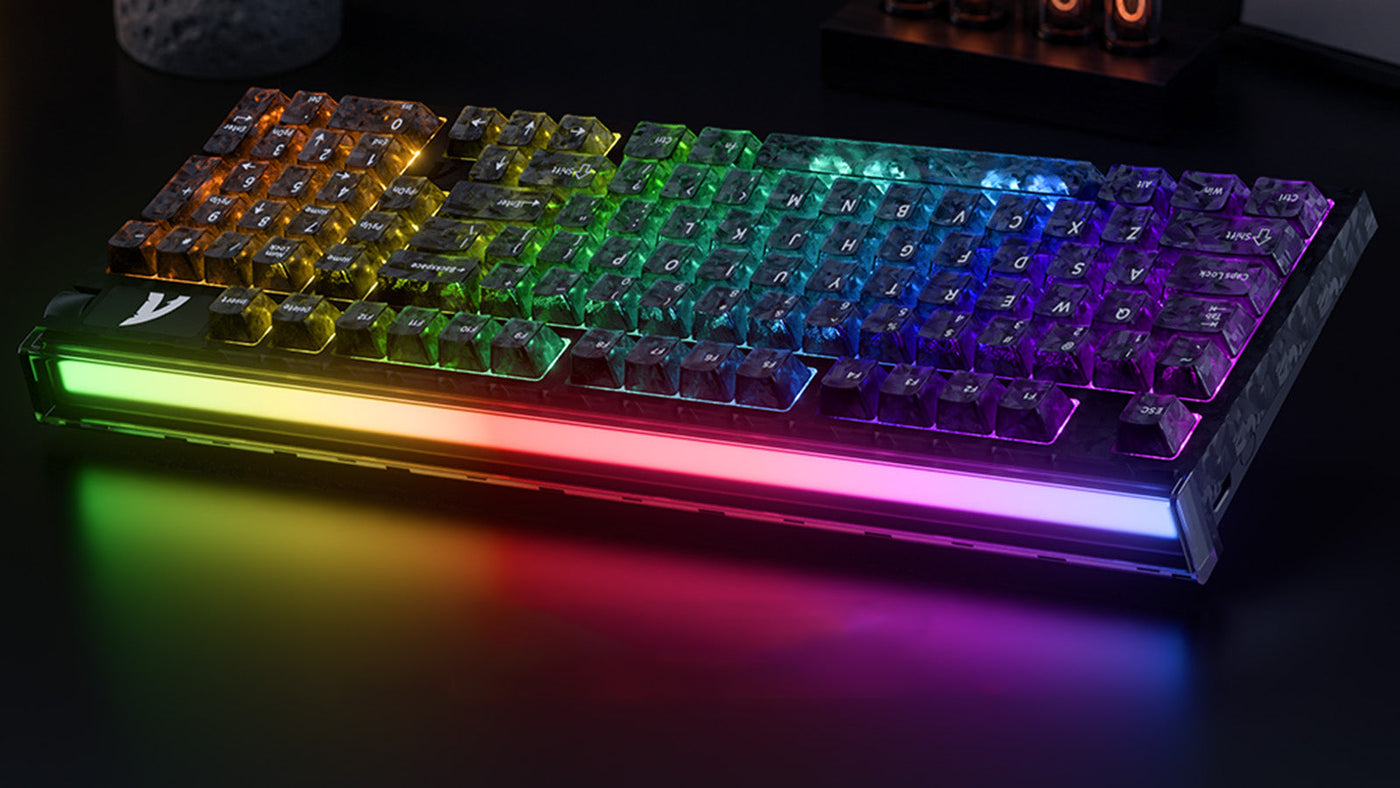
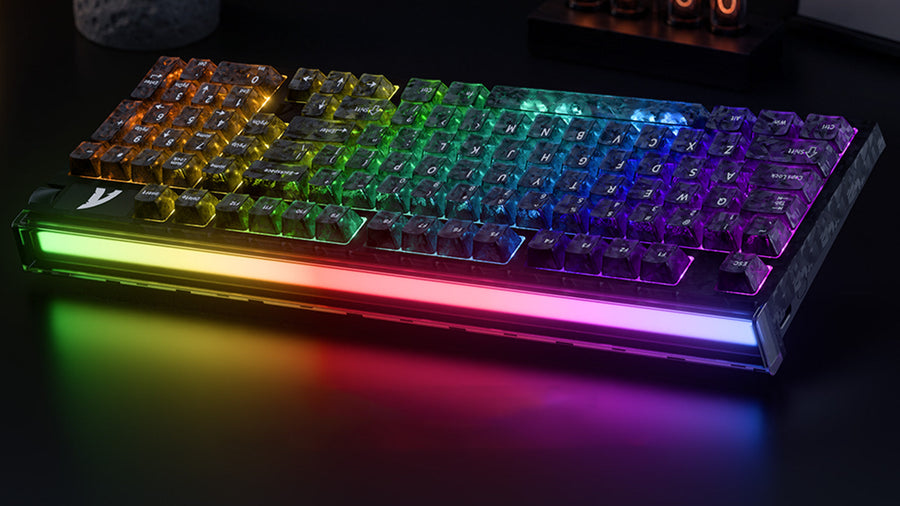
An innovative solution to boring lighting is the integration of a front-mounted RGB lightbox. Unlike individual key lights, a lightbox uses diffused panels to create a soft, ambient glow that washes over the desk surface. This creates a much more immersive experience, similar to the "Ambilight" features found on high-end monitors. It transforms the keyboard from a tool into a central aesthetic piece of the desktop environment.
Exploring customizable magnetic keyboard lighting profiles
True customization should allow users to sync their lighting with their tasks. Advanced setups offer dozens of dynamic modes—such as breathing, reactive, or wave patterns—that can be layered. For example, you might have a subtle white glow for office work and a reactive "heat map" for gaming. This level of customizable magnetic keyboard lighting ensures that your keyboard reflects your personal style while providing functional visual feedback.
Evaluate the Performance vs. Aesthetics Trade-off
The final "hidden flaw" is the misconception that you cannot have world-class technical specs in a keyboard that also looks and feels like a luxury item. Many gamers settle for bare-bones designs because they believe that is the only way to get the fastest response times. However, recent advancements prove that performance and aesthetics can coexist.
Micron-level precision: the 0.005mm RT advantage
Rapid Trigger technology allows a key to reset the instant it begins moving upward, rather than waiting for it to cross a fixed point. While many boards offer 0.1mm sensitivity, the best magnetic gaming keyboard models are now pushing the boundaries to 0.005mm precision. This micron-level adjustment ensures "zero dead zone" performance, which is vital for competitive FPS players who need to "counter-strafe" or "jiggle-peek" with absolute accuracy. Corsair describes Rapid Trigger as a feature that activates and resets keys quickly for repeated inputs in its Hall Effect keyboard overview, supporting the competitive value of Rapid Trigger.
Real-world benefits of 8000Hz polling and SOCD
Polling rate refers to how often the keyboard tells the computer it has been pressed. A standard keyboard polls at 1000Hz (once every millisecond), but flagship magnetic models now offer 8000Hz (once every 0.125ms). When combined with SOCD (Simultaneous Opposing Cardinal Directions) "cleaning" algorithms, the keyboard can process complex movements without conflict, ensuring that your in-game character reacts exactly as your brain intends. Research on USB-connected input devices explains that polling interval affects the maximum time between polling events, making the concept directly relevant to USB input latency.
Speed without sacrificing visual design
The inclusion of high-speed chips and 256K sampling rates doesn't require a bulky or "gamer-aesthetic" plastic shell. These high-frequency processors can be tucked into sleek, CNC-machined aluminum or carbon fiber frames. This allows users to own a device that looks appropriate in a professional boardroom while possessing the internal power to win an international esports tournament.
Address the Need for Professional-Grade Customization
Standard keyboards often lock you into a single "feel," but the modern user requires versatility. Customization is not just about changing keycaps; it is about adjusting the hardware and software to fit your evolving needs.
Hot-swappable versatility for different user scenarios
A hot-swappable PCB allows you to change switches without soldering. This is particularly useful for magnetic boards, as you can mix and match different types of magnetic axes. You might choose a heavier switch for the spacebar to avoid accidental presses while keeping ultra-light switches for the WASD keys. This adaptability makes it the best keyboard for gaming and work, as you can fine-tune the resistance for your specific typing style.
Simplified control with CNC aluminum knobs
A physical volume knob is a small feature that provides immense utility. High-quality knobs are CNC-machined from aluminum alloy and offer tactile "clicks" for precise adjustment. Beyond volume, these can often be programmed to scroll through documents, zoom in on creative software, or even adjust the brightness of your customizable magnetic keyboard lighting, adding a layer of physical interaction that a standard key cannot provide.
Web-based driver accessibility
Traditional peripheral software is often criticized for being "bloatware" that slows down your PC. The modern solution is a web-based driver. This allows you to adjust your RT points, macros, and RGB effects directly through a browser (like Chrome or Edge) without installing anything. It ensures that your settings are stored on the keyboard’s onboard memory, so your custom profile stays with you regardless of which computer you plug into.
Prepare for the R98HE Flagship Launch on July 11th
To address the common flaws of current magnetic keyboards, the R98HE arrives on July 11th as a comprehensive solution. This keyboard is currently the only 98 layout keyboard on the market to feature a carbon fiber composite top cover and an integrated front-side RGB lightbox. It is designed to bridge the gap between "hardcore gaming tool" and "premium professional peripheral."
The R98HE solves the "texture" flaw by utilizing carbon fiber keycaps and a high-rigidity frame, ensuring a consistent 0.005mm RT response. Its internal 5-layer acoustic kit eliminates the hollow sound common in other boards, while the true 8000Hz polling rate provides a latency-free 0.08ms response time. With its hybrid layout and CNC aluminum knob, the R98HE is positioned to be the best keyboard for gaming and work, providing the technical specs needed for Valorant or CS2 without the compromises of a smaller, plastic board.
Conclusion: Building a Faster, Stronger, More Balanced Magnetic Keyboard Setup
While the speed of magnetic switches is revolutionary, the "hidden flaws" of current designs—such as cramped layouts, cheap materials, and poor acoustics—often limit their potential. By prioritizing a 98 layout keyboard and looking for high-quality dampening and premium materials like carbon fiber, you can enjoy elite gaming performance without sacrificing professional utility. As the R98HE launch on July 11th shows, the future of the best magnetic gaming keyboard lies in the perfect balance of micron-level precision and uncompromising build quality.
FAQs
Is a 98 layout keyboard too large for competitive FPS games?
No, it is not. The 98% layout is designed to be as slim as possible by removing the "gap" between the numpad and the main keys. It is only slightly wider than a standard TKL board, meaning most gamers will have more than enough mouse space even at low DPI settings.
Can I use the R98HE in a quiet office environment?
Yes, you can. Unlike many "clacky" magnetic boards, the R98HE uses a 5-layer acoustic padding system that absorbs echoes and vibrations. This results in a quiet, "HIFI" sound that is suitable for shared workspaces or late-night use.
What are the benefits of a hall effect keyboard with premium build quality?
A premium build, such as one featuring carbon fiber and aluminum, provides structural rigidity. This ensures that the Hall Effect sensors maintain consistent distance for their 0.005mm RT settings and prevents the keyboard from flexing or vibrating, which can lead to a "cheap" feeling and inconsistent performance.
How does customizable magnetic keyboard lighting improve my setup?
It provides both aesthetic immersion and functional feedback. Features like the front-side RGB lightbox on the R98HE create a soft ambient glow that improves the "vibe" of your desk without the harsh glare of traditional per-key RGB. It can also be synced to your gaming mood or office tasks.