Selecting the right inputs can significantly impact your competitive gaming performance. While mechanical full-sized keyboards remain the industry standard, one-handed models have grown in popularity among enthusiasts. This article analyzes the technical structure of these specialized controllers, compares their layout with traditional decks, and evaluates their impact on your reaction times.
Read on to determine if upgrading to a compact layout is a practical choice for your gaming setup.

What Is A One-Handed Gaming Keyboard?
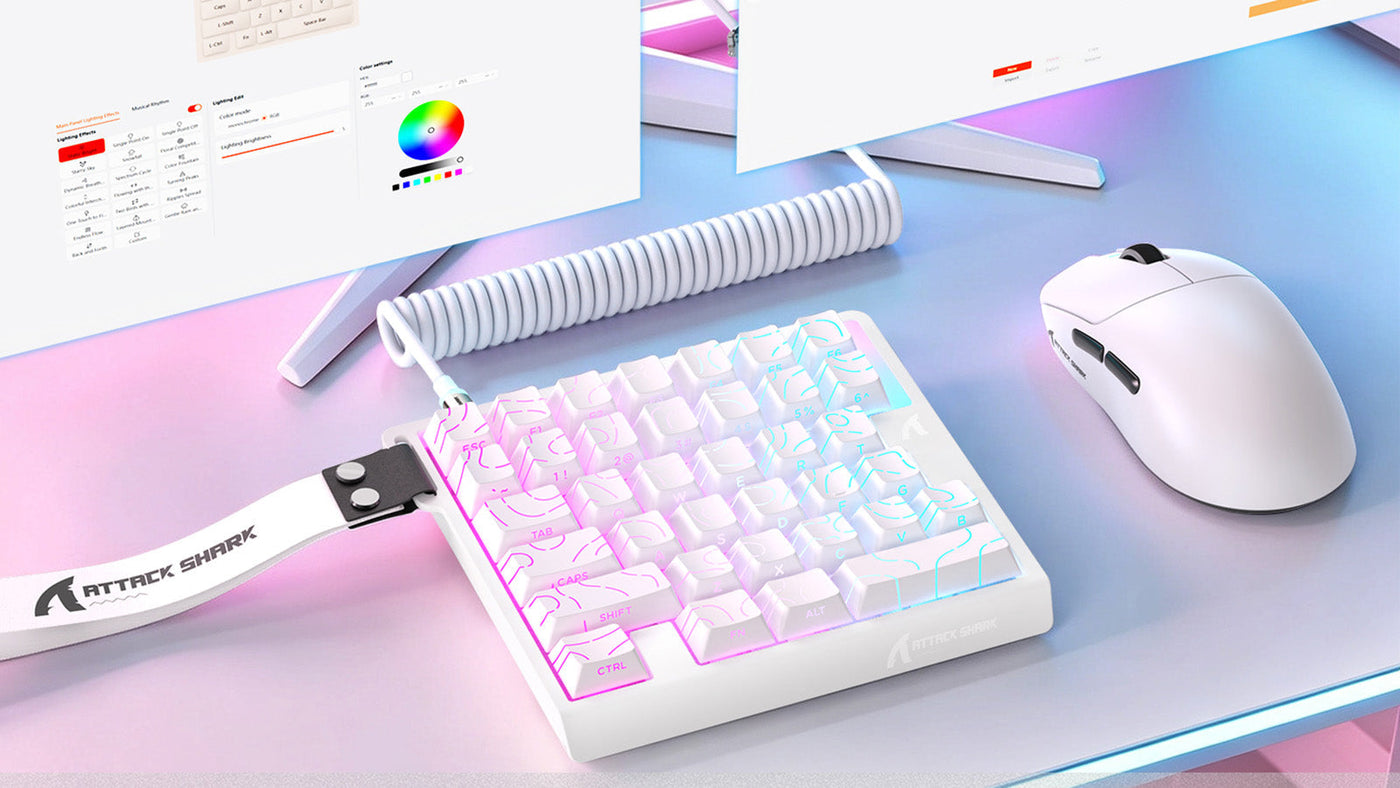
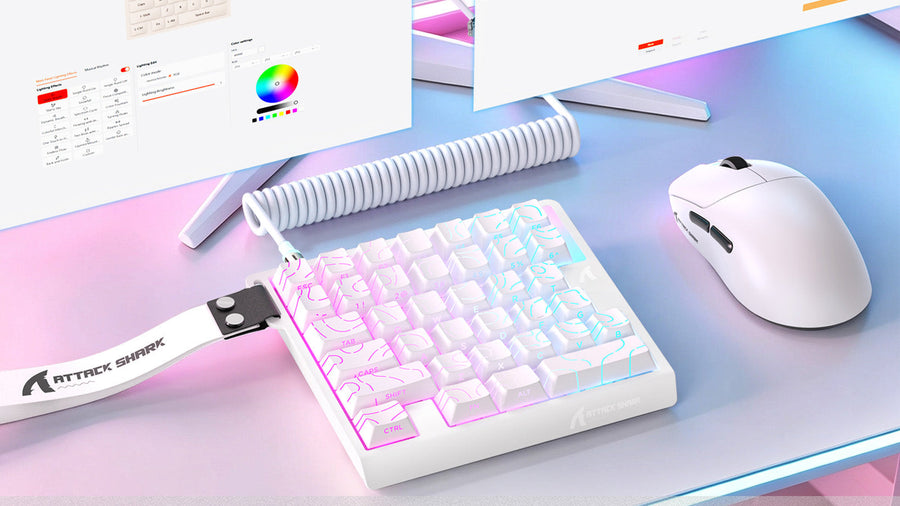
A one-handed gaming keyboard is a specialized peripheral designed specifically for gaming. Unlike a standard keyboard, which features a full set of alphanumeric keys, a functional number pad, and system keys, this device contains only the left-hand section of a keyboard, typically focusing on the keys surrounding the WASD cluster.
Key Layout and Design
A typical one-handed gaming keyboard includes approximately 30 to 35 mechanical keys, usually spanning from the Escape key down to the Spacebar, and from the left Control key over to the 5 or 6 key. This selection contains almost all the essential hotkeys required for modern movement and weapon swapping, omitting the letters, punctuation, and navigation buttons on the right side of a standard layout.
Integrated Ergonomic Wrist Rests
Because these devices are engineered solely for active play, they usually feature a permanent, contoured wrist rest that supports the hand at a natural angle. A premium compact gaming keypad may also include adjustable thumb pads, small directional joysticks, and dedicated macro buttons along the side. This ergonomic design aims to reduce wrist fatigue during extended gaming sessions. Research confirms that wrist support reduces upper limb muscle fatigue during prolonged input device use.
Does A One-Handed Gaming Keyboard Make You Faster?
The claim that specialized keypads increase in-game reaction speeds is a common point of discussion. While no peripheral can replace raw aiming skill and muscle coordination, the physical architecture of a half-keyboard offers small mechanical advantages that can reduce input delays.
Reducing Finger Travel Distance
One of the primary factors influencing your physical input time is the physical distance your fingers must travel to reach critical keybinds. When evaluating your one hand keyboard speed potential, having all your bound keys closely clustered around your resting fingers minimizes wasted movement. You do not need to stretch your hand awkwardly to reach complex commands, allowing for more consistent and predictable key presses.
Actuation and Mechanical Switches
Many compact pads utilize high-end linear or tactile mechanical switches that feature short actuation points. Because the microcontrollers inside a half-deck are dedicated to fewer keys, they can process inputs and scan key matrices with minimal delay. This highly responsive design helps maximize your one hand keyboard speed during rapid, repetitive double-taps or complex key combinations.
Ergonomic Comfort and Reaction Times
Physical comfort directly impacts physical reaction speed. When your hand, wrist, and forearm are held in a relaxed, contoured position, your muscles can execute inputs with less strain. By reducing localized physical fatigue, a high-quality one-handed gaming keyboard helps you maintain peak one hand keyboard speed over several hours of intense competitive play, preventing the slow-down associated with cramping.

What Games Benefit Most From A One-Handed Keyboard?
Not every video game is suited for a stripped-down key layout. The utility of a compact input device depends heavily on the genre of the game and how many active binds you require to control your character.
First-person shooters generally rely on a small, core group of inputs: WASD for movement, Shift for sprinting, Control for crouching, and numbers 1 through 4 for switching weapons. Because these games require minimal typing, a dedicated one-handed keyboard for gaming is highly effective. It maps all necessary commands within a comfortable radius, leaving you with a clean, unencumbered setup.
MOBAs rely on rapid, highly accurate execution of ability keys (typically Q, W, E, R) and active item slots. Using a custom one-handed keyboard for gaming allows you to bind all your spells and items to mechanical keys that sit directly under your fingers. Several models of a compact gaming keypad also feature side-mounted thumb buttons or scroll wheels, giving you extra, highly accessible inputs to cast spells or ping maps instantly.
How Does A One-Handed Keyboard Compare To A Full Keyboard?
When deciding between these two configurations, you must weigh the benefits of specialized design against the versatility of a traditional layout. Both form factors have distinct strengths and operational limitations.
Desk Space and Mouse Movement Room
The most significant difference in a one-handed keyboard vs full keyboard comparison is the physical footprint. A standard keyboard takes up a large portion of your desk, forcing you to position your mouse pad further to the right. A compact half-keyboard takes up less than a third of that space, allowing you to position your hands closer together and giving low-sensitivity players massive room to execute sweeping mouse flicks without colliding with the side of their keyboard.
Portability and LAN Party Setup
If you travel frequently for local tournaments or LAN events, packing a large mechanical keyboard can be cumbersome. Looking at a one-handed keyboard vs full keyboard from a travel perspective, the compact model fits easily into any backpack. This portability is highly valuable for players who must set up their gear in tight, crowded tournament spaces where desk room is limited.
Custom Key Binding and Macros
Traditional full-sized decks often lack dedicated, easily accessible macro keys. In a one-handed keyboard vs full keyboard matchup, the compact keypad frequently wins on customization features. A dedicated compact gaming keypad often includes specialized software that allows you to reprogram every single key, configure multi-key macros, and save custom profiles directly to the device's onboard memory.
What Are The Main Downsides?
While these compact controllers offer distinct ergonomic and spatial advantages, they are not universally superior. Homeowners and competitive players must be aware of several practical limitations before replacing their primary keyboard.
The most obvious limitation of a dedicated one-handed keyboard for gaming is that you cannot use it to type text. If you want to communicate with teammates via in-game text chat, search for guides on a web browser, or write an email, you will be unable to do so without keeping a secondary, full-sized keyboard connected to your PC. This requirement can create physical clutter on your desk.
Because these devices feature only 30 keys, they are completely useless for productive office work, coding, or video editing. If your computer setup serves as both a gaming station and a home office, you will find yourself constantly swapping peripherals or reaching around your compact keypad to access a standard keyboard, which can disrupt your daily workflow.
Who Should Consider A One-Handed Gaming Keyboard?
Compact keypads are highly specialized tools rather than general-use peripherals. Identifying whether your setup and playing habits match the target profile of these devices will help you make a practical purchase decision.
If you are a competitive FPS or MOBA player who utilizes a low mouse sensitivity, a high-quality one-handed gaming keyboard is a highly valuable addition to your setup. The extra desk space allows for sweeping arm movements, while the dedicated mechanical switches ensure that your movement commands are executed with minimal input delay.
For players who experience shoulder, neck, or wrist pain from angling their arms outward on a traditional keyboard, a half-keyboard provides immediate relief. The compact design allows you to position your left hand directly in front of your shoulder, maintaining a neutral, aligned posture. It is also an excellent option for college dorm rooms or compact desks where space is extremely limited.
Conclusion: Compact Layout, Real Competitive Gains
One-handed gaming keyboards are not a magic solution for poor aim, but they offer distinct physical benefits. By shrinking finger travel distance, offering specialized ergonomics, and freeing up massive desk space for mouse movement, these compact keypads can improve comfort and consistency. While they cannot replace a standard keyboard for daily typing, they remain a highly effective, specialized tool for dedicated competitive gamers.
FAQs
Is a one-handed gaming keyboard good for FPS games?
Yes. Because FPS games rely on a small cluster of movement and weapon hotkeys, a half-keyboard is highly effective. It groups all necessary keys within a comfortable radius and frees up massive desk space, allowing you to use low mouse sensitivities for highly accurate aiming.
Can you type with a one-handed gaming keyboard?
No, you cannot type standard text with a one-handed keyboard because it lacks more than half of the alphabet, as well as essential punctuation keys. You must keep a traditional full-sized keyboard connected to your computer if you need to type messages, search the web, or do office work.
Is a one-handed keyboard better than a 60% keyboard?
It depends on your daily needs. A 60% keyboard is a complete, albeit small, keyboard that allows you to type and work normally. A one-handed keyboard is an ergonomic, highly specialized gaming pad that cannot be used for non-gaming tasks but offers built-in wrist rests and macro-keys.
Do pro gamers use one-handed keyboards?
While some professional esports athletes use compact keypads to maximize desk space at crowded LAN tournaments, the majority of pros still prefer standard mechanical keyboards or 60% layouts because of their familiarity and versatility across different tasks.
How long does it take to get used to one?
Most gamers find that they can adapt to a one-handed keyboard within 3 to 7 days of active play. Because the WASD cluster and surrounding keys are mapped in the exact same physical relationship as a traditional keyboard, your existing muscle memory will carry over quickly.