A one-handed keyboard is a specialized peripheral designed to provide core functionality in a compact form factor. By focusing on essential keys, these devices cater to users who need efficiency, accessibility, or additional desk space. Whether you are looking for a one handed keyboard to optimize your workspace or a specific one handed keyboard for gamers to improve reaction times, these tools offer unique advantages.
This guide explores the functionality, target audience, and practical limitations of these keyboards for various professional and recreational applications.

What Is a One-Handed Keyboard?
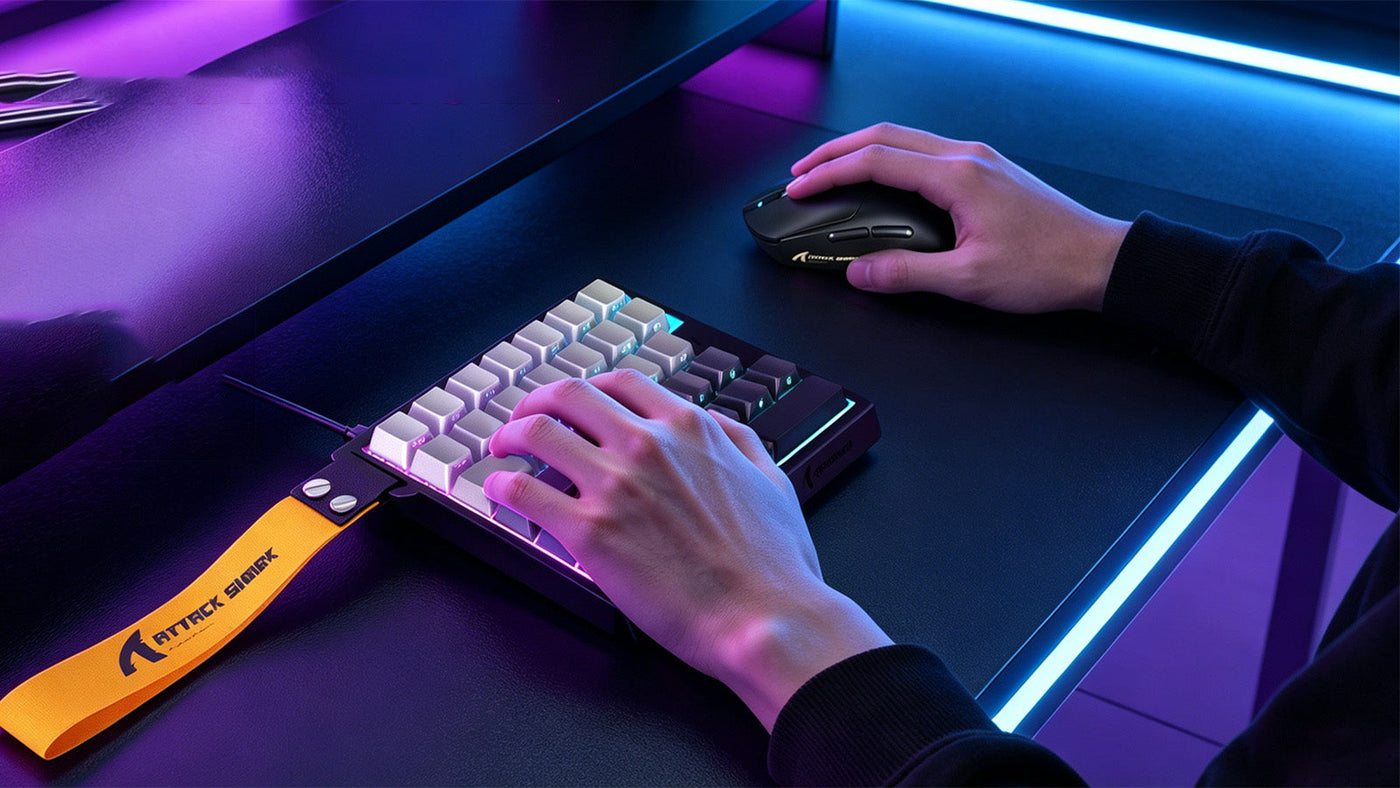
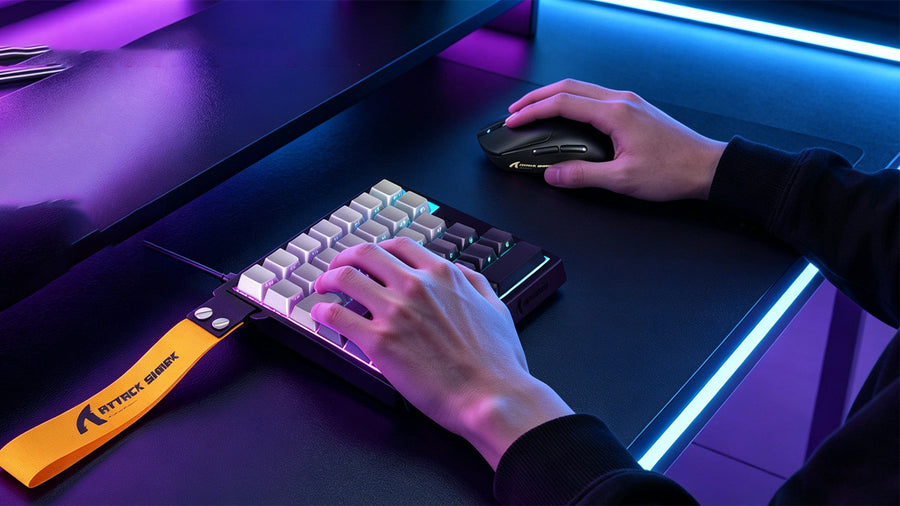
A one-handed keyboard is a partial input device that typically features only the left side of a standard QWERTY layout. These devices are intentionally miniaturized to allow a user to reach all available keys without moving their hand from a single position.
These keyboards usually consist of 20 to 40 keys, focusing on the left-hand cluster commonly used in typing and gaming (such as Q, W, E, R, A, S, D, F, and the modifiers Shift, Ctrl, and Alt). Unlike a traditional full-sized keyboard, which requires two hands for optimal speed and access, a one handed keyboard is engineered for specialized tasks.
The fundamental design philosophy is to minimize "travel distance." On a standard keyboard, your hand must reach far across the deck to hit keys like 'P' or the function row. A one-handed device consolidates the most frequently used keys into a small, ergonomic footprint. These keyboards are primarily built for users who prioritize speed, customized macros, and desktop real estate over the ability to write long-form documents.
How Does a One-Handed Keyboard Work?
These devices function through USB or wireless connections, effectively acting as an extension or independent replacement for standard inputs. Their architecture differs significantly from full-sized models, focusing on modularity and user-defined programming.
Key Mapping and Customization Software
Most modern keyboards designed for a single hand come with proprietary software. This is the "brain" of the device. It allows the user to reassign any key to perform complex actions. For instance, a single key can be programmed to launch an application, execute a macro, or act as a specific modifier. Users can often save multiple profiles, switching between a "gaming" profile and a "photo editing" profile with a single click.
Compact Layout Architecture
By eliminating the number pad, arrow keys, and function row, the device saves significant space. This allows the user to position the keyboard closer to their mouse. This reduction in reach distance is vital for a one handed keyboard for PC users who engage in intensive multitasking or competitive gaming. When the mouse and keyboard are closer together, the shoulder remains in a more neutral, relaxed position, which can alleviate chronic tension associated with long hours at a desk.

Who Uses One-Handed Keyboards?
The user base for these devices is surprisingly broad, ranging from high-performance gamers to professionals requiring accessibility solutions. Understanding the specific needs of these groups helps explain the growing popularity of these compact controllers.
Competitive PC Gamers
Gamers are the largest demographic for this technology. Because gaming requires intense use of the left side of the keyboard, a one handed keyboard for gamers provides a distraction-free experience. It allows for a wider mouse movement range, which is critical in fast-paced first-person shooters where precision is paramount.
Professionals and Content Creators
Many editors and designers use these devices as macro pads. By mapping complex shortcuts for software like Adobe Premiere, Photoshop, or CAD tools onto a single-handed device, they can accelerate their workflow significantly. It turns a keyboard into a dedicated control surface.
Individuals Requiring Accessibility
For individuals with physical limitations that make using a full-sized keyboard difficult — such as a motor impairment that affects one arm — a one-handed device can be a vital accessibility tool. It allows the user to perform all necessary computer functions using only one hand, significantly reducing fatigue and allowing for independent computer use. Adaptive keyboard research shows that one-handed input devices have become a critical category in assistive technology, enabling users with motor impairments to maintain full computer independence. Adaptive one-handed keyboard design has evolved significantly to serve both accessibility and performance needs.
Is a One-Handed Keyboard Only for Gaming?
While marketing often targets gamers, the practical one handed keyboard uses extend far beyond entertainment. Many productivity-focused users find these devices indispensable for office and creative work.
In an office setting, these keyboards function as powerful macro controllers. Users can map common data entry tasks or repetitive keyboard shortcuts to a single finger press. For example, instead of pressing "Ctrl+C" and "Ctrl+V," a user can map these to dedicated, larger keys on their one-handed device. This dramatically increases speed in spreadsheet applications or data management software.
Graphic designers and video editors often map brush sizes, layer controls, and export commands to their one-handed device. This creates a dedicated control surface that keeps the primary workspace clutter-free, allowing for a more streamlined creative process. It effectively separates "typing" (which you do on your main keyboard) from "controlling" (which you do on your one-handed device).
What Are the Benefits of a One-Handed Keyboard?
The benefits of using a specialized keyboard center on ergonomics, customization, and space management. These advantages make them an attractive option for both casual and power users.
Ergonomic Advantages and Reduced Strain
By allowing the user to keep their hands closer together, these keyboards promote a more natural posture. This reduces the need for the user to reach across a wide desk, which is a major factor in repetitive strain injuries. OSHA ergonomic guidelines for computer workstations emphasize that reducing lateral reach distance is one of the most effective ways to prevent musculoskeletal strain at the desk. OSHA desk ergonomics standards recommend keeping all frequently used items within close reach to minimize awkward postures.
Improved Desk Organization and Setup
A one handed keyboard for PC setups frees up a significant amount of desk space. This is highly beneficial for users with smaller workstations or those who prefer a minimalist setup. When you don't need the number pad or the full length of a standard keyboard, removing it creates a much cleaner, more professional environment.
Customization and Macro Power
The ability to assign multiple functions to a single key is a massive productivity boost. Users can create "layers," meaning a single physical key can perform different actions depending on whether another key is held down. This allows a device with only 25 keys to effectively control 75 different functions.
What Are the Limits You Should Know?
Despite the benefits, these devices are not a perfect replacement for a full-sized keyboard. Potential buyers should be aware of these limitations before making a purchase.
Inability to Perform Full Typing Tasks
A one-handed device is generally incapable of standard touch typing. If you need to write emails, documentation, or code at length, you will still require a standard keyboard for those specific tasks. It is an auxiliary tool, not a full replacement.
Learning Curve for Customization
Setting up a new layout requires time. Users must learn where they have mapped their macros. If you frequently switch between different software applications, you may need to manage multiple profiles, which can be initially confusing for someone accustomed to the standard QWERTY layout.
Hardware Compatibility Requirements
While most operate via plug-and-play, advanced features (like RGB lighting or custom macros) often require specific driver software. You should always ensure that the manufacturer supports your operating system before buying. Some cheaper off-brand models may lack stable software, making the "customization" aspect difficult to implement. For users setting up a one-handed device as part of a broader ergonomic workstation, the OSHA computer workstations eTool provides a comprehensive checklist for ensuring all components work together safely and comfortably. [[4]](#__4)
Conclusion: A Compact Tool With Broad Practical Value
A one-handed keyboard is a versatile tool that bridges the gap between specialized control and daily usability. Whether you are seeking a one handed keyboard for gamers to gain a competitive edge or looking for a way to streamline your professional creative workflow, these devices offer impressive customization and ergonomic benefits. While they cannot replace a full keyboard for long-form typing, they are an excellent addition for users aiming to improve their efficiency, comfort, and desk organization.
FAQs
What Is a One-Handed Keyboard Used For?
A one-handed keyboard is primarily used for gaming, specialized macro control in professional software, and providing accessibility for users who cannot use both hands to operate a standard keyboard.
Can a One-Handed Keyboard Replace a Regular Keyboard?
Generally, no. Because these devices lack the full set of letters and symbols, they are intended to complement a regular keyboard rather than replace it for standard typing tasks.
Is a One-Handed Keyboard Good for PC Gaming?
Yes, it is highly effective for PC gaming. It allows for a more ergonomic hand position, provides easier access to macro keys, and frees up desk space for larger mouse movements, which is essential in competitive environments.
Are One-Handed Keyboards Ergonomic?
They can be. By allowing your hands to remain closer to the center of your body, they reduce the need to reach across a wide keyboard, which can help prevent shoulder and wrist fatigue over long periods of use.
What Is the Difference Between a One-Handed Keyboard and a Macro Pad?
A one-handed keyboard usually maintains a standard, ergonomic key layout (like WASD) designed for continuous hand placement. A macro pad is typically a smaller, grid-based device designed strictly for executing shortcuts and custom commands, often lacking the ergonomic cluster shape.