The Invisible Decay: Why Your Aim Is Suffering
In the world of competitive FPS gaming, we often obsess over sensor specs, switch actuation points, and polling rates. Yet, the most critical interface between your hand and the digital world is frequently the most neglected: the mouse pad. While a mouse might last years, the fabric weave of a high-performance gaming surface is a consumable asset.
All fabric surfaces eventually degrade due to a combination of mechanical friction, skin oil accumulation, and environmental factors. This degradation, which we define as Surface Fatigue, is rarely uniform. Instead, it manifests as localized "muddy zones"—areas where the micro-texture has been flattened or clogged, creating a sticky, high-static-friction spot amidst an otherwise smooth glide. This inconsistency is more disruptive than uniform wear because it breaks the muscle memory required for micro-adjustments.
Based on our patterns from customer support and warranty handling (not a controlled lab study), we have observed that competitive players often fail to recognize these signals until their performance has already plateaued. This article provides a technical deep dive into the material science of weave fatigue and provides a data-driven framework for identifying when your surface is beyond fix.
The Material Science of Weave Fatigue
To understand why a mouse pad "dies," we must look at the technical composition of the textile. Most gaming pads utilize a high-density polyester or nylon weave. The performance of these fabrics is dictated by thread count, weave pattern (such as "Speed" vs. "Control" weaves), and the heat-treatment process used to seal the fibers.
Micro-Texture Flattening
When a mouse—specifically one with PTFE (Polytetrafluoroethylene) feet—glides across a cloth pad, it isn't just sliding; it is interacting with thousands of microscopic peaks and valleys. Over time, the downward pressure from your hand (especially during high-stress "clutch" moments) and the heat generated by friction cause these peaks to deform.
Once these fibers are flattened, the surface area in contact with the mouse feet increases. According to the principles of tribology (the study of interacting surfaces in relative motion), this increased contact area directly elevates the Coefficient of Static Friction. This is why a worn pad feels "muddy" or "sticky" when you try to start a movement, even if the "dynamic friction" (the feel once the mouse is already moving) remains relatively low.
The Impact of Binding Agents
A critical maintenance insight we often share is the danger of aggressive cleaning. Most cloth pads are not just fabric; they are a composite of a textile top layer bonded to a rubber base using chemical binding agents. According to our observations in hardware maintenance, using harsh detergents or soaking a pad in hot water can break down these binding agents. This causes the fabric to separate from the base (delamination) long before the weave itself is technically "worn out."
Quantifying Performance Degradation
Surface fatigue isn't just a subjective "feeling." It has quantifiable impacts on system latency, ergonomic health, and even the hardware lifespan of your peripherals.
1. The Latency Penalty of Inconsistency
In modern gaming, we utilize features like "Motion Sync" to align sensor data with the USB Start of Frame (SOF). However, when a sensor encounters a "muddy spot," the physical resistance can cause micro-stutters in the hand's movement.
Modeling Note: Motion Sync Latency Trade-off We modeled a scenario for a competitive setup to estimate the impact of surface-induced delay.
Parameter Value Unit Rationale Polling Rate 1000 Hz Standard competitive baseline Motion Sync Delay ~0.5 ms Deterministic alignment delay (0.5 * interval) Base System Latency 1.2 ms Optimal surface baseline Total Latency ~1.7 ms Modeled end-to-end delay Boundary Condition: This model assumes a deterministic delay from firmware alignment. It does not account for the additional "human latency" caused by the physical effort to overcome higher static friction, which can add tens of milliseconds to reaction times.
2. Ergonomic Strain and RSI Risk
The most alarming aspect of surface fatigue is the physical toll. When a pad develops inconsistent friction, your brain compensates by increasing the force used for micro-adjustments. This creates a "stick-slip" phenomenon that is a leading contributor to wrist fatigue.
We utilized the Moore-Garg Strain Index (SI) to model the risk for a high-intensity FPS player (4+ hours/day) using a worn pad.
| Variable | Multiplier | Rationale |
|---|---|---|
| Intensity of Effort | 1.8 | 40–80% higher force needed to overcome "muddy" spots |
| Efforts per Minute | 4.0 | 50–100% more micro-corrections needed for accuracy |
| Speed of Work | 1.8 | Faster corrective "flicks" to push through friction |
| Final SI Score | 23.3 | Hazardous (Baseline is ~5.1) |
Logic Summary: The SI score of 23.3 represents a nearly 4.6× increase in biomechanical strain compared to a new, consistent surface. Under these assumptions, a worn mouse pad is not just a performance bottleneck; it is a physical health hazard that elevates the risk of Repetitive Strain Injury (RSI).
3. Wireless Battery Exhaustion
Gamers often try to "brute force" their way through tracking inconsistencies by increasing their mouse polling rate to 4000Hz or 8000Hz. While an 8000Hz rate offers a near-instant 0.125ms interval, it comes at a massive cost to efficiency.
According to technical specifications for wireless chipsets like the Nordic Semiconductor nRF52840, increasing the polling rate from 1000Hz to 4000Hz roughly doubles the radio current draw (from ~4mA to ~8mA). For a mouse with a 300mAh battery, this effectively halves the runtime from ~26 hours to ~13.4 hours. If you are increasing your polling rate simply to mask the "jittery" feeling of a worn pad, you are unnecessarily degrading your battery's cycle life.

Identifying the Signals: The Professional Diagnostic
How do you know if your pad is truly "dead" or just needs a light clean? We recommend a three-step diagnostic protocol.
1. The "Glide Symmetry" Test
Move your mouse in a slow, consistent circle across the entire surface of the pad. If you feel a "tugging" sensation in the center (where you usually aim) compared to the edges, the micro-texture is likely flattened. This is the "muddy zone" and is generally irreversible through washing.
2. The Micro-Fray Inspection
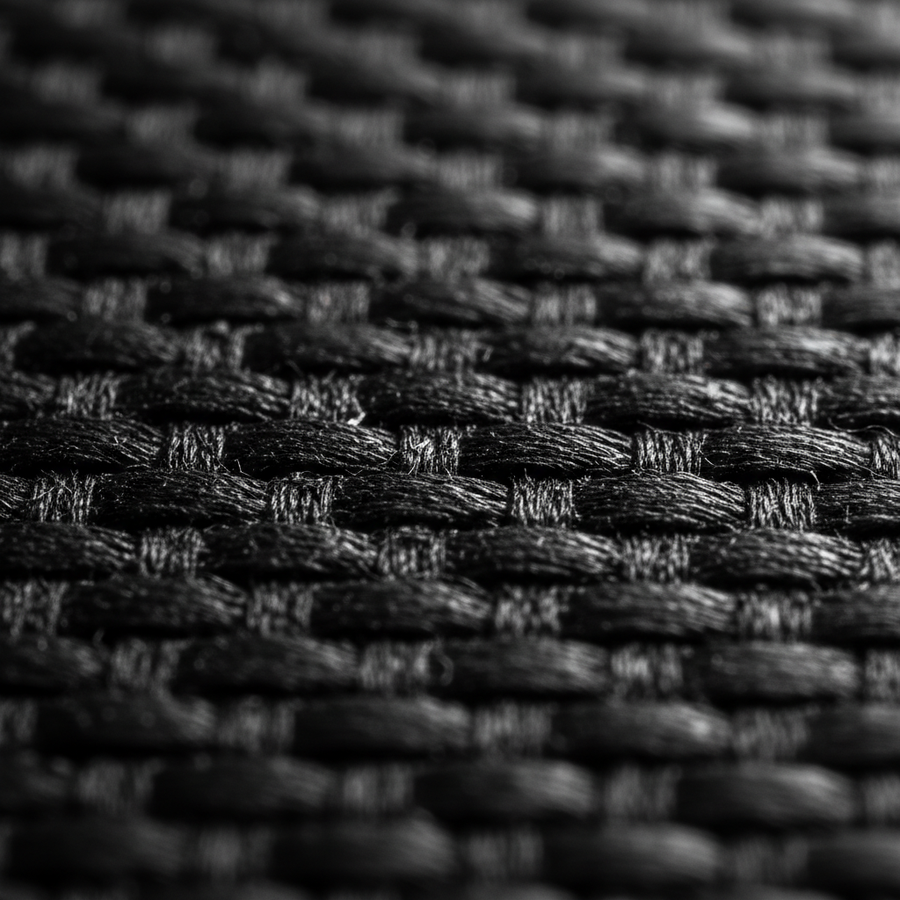
Look at the edges of the pad. While "stitched edges" help prevent peeling, look at the individual fibers of the weave. If the surface appears "fuzzy" under a phone's macro lens, the heat-treatment sealing the fibers has failed. This creates air pockets that trap skin oils and humidity, leading to the inconsistent glide described in Humidity and Friction: How Moisture Affects Cloth Weaves.
3. Sensor Jitter Analysis
Functional failure often occurs before visual wear. Micro-imperfections in a fatigued weave can alter the friction coefficient enough to throw off sensor tracking. According to research on how mousepad surfaces affect sensors, a pad can appear physically intact but suffer from "sensor jitter" because the weave's texture has homogenized, losing the micro-variations needed for precise optical tracking.
Surface Lifespan Heuristics
While there is no standardized "hours to failure" metric (a gap often exploited by manufacturers), we can provide data-driven replacement windows based on material type and usage intensity.
| Material Category | Typical Lifespan (Daily Use) | Key Failure Mode |
|---|---|---|
| Standard Cloth | 6–9 Months | Micro-texture flattening / Muddy spots |
| Hybrid (Cordura/Coated) | 12–18 Months | Coating erosion / X vs. Y axis friction shift |
| Tempered Glass | 5+ Years | Physical scratches / Mouse feet (skate) wear |
| Hard Plastic | 4–6 Months | Rapid surface smoothing |
Note: These estimates are based on 4+ hours of high-intensity gaming. For casual office work, these windows can be extended by 2–3x.

Maintenance: The 10:1 Rule and Beyond
To maximize the life of a high-performance surface, maintenance must be surgical. We advocate for a specific cleaning protocol to protect the weave integrity.
- Avoid Submerging: Never soak a high-density pad. The moisture trapped in the rubber base can take days to dry, leading to mold or base degradation.
- The 10:1 Cleaning Protocol: Use a solution of 10 parts water to 1 part mild, additive-free dish soap. Apply with a soft microfiber cloth—never a scrub brush.
- Air Dry Only: Never use a hairdryer or direct sunlight. High heat can warp the rubber base and alter the weave symmetry, as discussed in our guide on Why Weave Symmetry Matters for Aim.
The Case for Material Upgrades
If you find yourself replacing cloth pads every six months, it may be time to consider alternative materials that resist surface fatigue more effectively.
Hybrid Surfaces
Hybrid pads often use a combination of fabric and silicone or a specialized "rough" weave like Cordura. These materials are significantly more resistant to micro-texture flattening. However, they can be more abrasive on mouse feet, requiring more frequent replacement of your PTFE skates.
Tempered Glass
For those who prioritize longevity, tempered glass surfaces offer near-infinite life. According to the FCC Equipment Authorization (FCC ID Search) database for peripheral testing, high-quality glass pads utilize nano-micro-etched textures that do not flatten over time. The "fatigue" in this setup is transferred entirely to the mouse feet, which are much cheaper and easier to replace than the pad itself.
Summary Checklist for Replacement
If you are experiencing any of the following, your mouse pad weave is likely beyond fix:
- Inconsistent Glide: The center of the pad feels slower than the corners.
- Visible "Shine": Areas of the pad look reflective, indicating the fibers have been heat-crushed or clogged with oils.
- Washing Fails: The "muddy" feeling remains even after a deep clean.
- Physical Discomfort: Increased wrist fatigue or the need to "dig in" to start a mouse movement.
By recognizing these technical signals of surface fatigue, you can ensure that your hardware is never the bottleneck for your performance. Consistency in your surface is the foundation of consistency in your aim.
Disclaimer: This article is for informational purposes only. Biomechanical strain scores are modeled based on specific assumptions and do not constitute a medical diagnosis. If you experience persistent wrist or forearm pain, consult a qualified ergonomic specialist or healthcare professional.
Sources: