Big Hand Comfort: Best Grips for Long-Session RPGs & Open World Games
For gamers with larger-than-average hands—typically defined as a hand length exceeding 19cm and a width over 10cm—finding a peripheral that doesn't lead to mid-quest cramping is a significant challenge. In immersive titles like Elden Ring or Cyberpunk 2077, where sessions often span four to eight hours of continuous exploration and menu navigation, the "specification credibility gap" becomes painfully real. A mouse that looks high-spec on paper may fail in practice if its geometry forces the hand into an unnatural "pincer" tension.
In our analysis of common patterns from customer support and warranty handling (not a controlled lab study), we have observed that the most frequent complaint from large-handed users isn't a lack of sensor precision, but rather localized fatigue in the thenar eminence (the thumb muscle) and the outer palm. This article breaks down the technical biomechanics of large-hand ergonomics and provides a data-driven framework for selecting gear that prioritizes stability and long-term comfort.

The Biomechanics of Grip Width vs. Shell Length
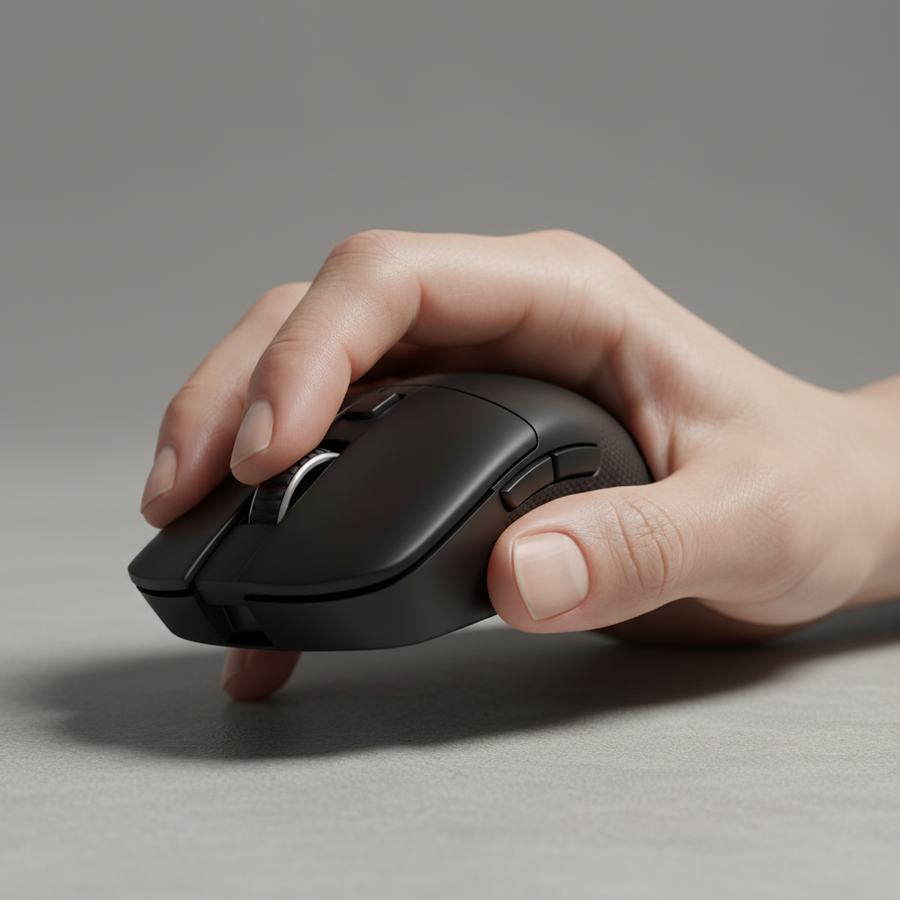
A common mistake in the peripheral market is equating "large mouse" solely with "long mouse." While shell length is important for palm support, the critical measurement for preventing hand strain is the effective grip width. This is the narrowest distance across the mouse where the thumb and ring/pinky fingers make contact.
Based on common patterns observed in ergonomic troubleshooting, a grip width under 60mm frequently causes the hand to "over-curl," leading to carpal tunnel pressure and cramping during the repetitive clicking required in RPG combat. For a hand width of 10cm or greater, we recommend a grip width of at least 62–65mm to allow the fingers to rest in a more neutral, splayed position.
The Rear Hump Heuristic
For immersive gaming, where stability is prioritized over the flick-speed required in competitive shooters, the placement of the "hump" (the highest point of the mouse) is vital. We utilize a specific heuristic: the rear hump should fill the central palm cavity without forcing the knuckles into an upward arch.
- Ideal Height: For palm and hybrid grips, a hump height of 38–42mm is typically considered the "sweet spot" for hands over 19cm.
- Placement: A centered or slightly rear-biased hump provides better "anchoring" for the palm, which reduces the amount of grip force required to move the mouse.
Modeling Note (Analysis & Assumptions): Our ergonomic recommendations are based on a deterministic parameterized model for hand-to-shell contact ratios.
Parameter Value/Range Unit Rationale Target Hand Length 190 – 215 mm Upper 10th percentile of adult users Ideal Shell Length 125 – 135 mm ~60-65% of hand length for palm support Grip Width Min 60 mm Prevents excessive metacarpal flexion Hump Peak 38 – 42 mm Fills palm void in neutral rest position Weight Target 70 – 85 g Inertial stability for tracking movements Boundary Conditions: This model assumes a standard 1-2-2 finger placement and does not account for specialized vertical or trackball geometries.
Weight and Stability: Why 70–85g Rules Exploration
While the competitive esports market has seen a "race to the bottom" regarding weight (often pushing sub-50g), this isn't always beneficial for the RPG or adventure gamer. For users with larger hands and lower fine-motor sensitivity, an ultra-light mouse can feel "jittery."
In long-session adventure gaming, a weight range of 70–85g often provides better stability for deliberate tracking. The slightly higher mass acts as a natural dampener for micro-tremors, making the camera movement in open-world games feel smoother and more cinematic. This is particularly relevant when navigating complex skill trees or inventory menus where "over-shooting" a button can be a minor but cumulative frustration.
Furthermore, a slightly heavier mouse allows for the use of more robust materials. We often see that a matte, slightly textured coating provides superior control compared to glossy finishes, which can become slippery during long, warm sessions. According to the Global Gaming Peripherals Industry Whitepaper (2026), material durability and tactile feedback are increasingly prioritized by non-competitive enthusiasts who value the "premium feel" of their setup.
The 8000Hz Polling Paradox in RPGs
High-performance mice now frequently offer 8000Hz (8K) polling rates. While often marketed for professional FPS players, there is a technical benefit for the RPG player using high-resolution (4K) monitors.
Technical Logic of 8K Performance
- Latency Interval: At 1000Hz, the reporting interval is 1.0ms. At 8000Hz, this drops to 0.125ms.
- Motion Sync: Many modern sensors use Motion Sync to align sensor reports with the USB poll. At 8000Hz, the added delay is approximately 0.0625ms (half the polling interval), which is effectively imperceptible.
-
Sensor Saturation: To fully utilize an 8K polling rate, the sensor must generate enough data points. Using the formula
Packets = IPS * DPI, we can determine that at a standard 1600 DPI, a movement speed of only 5 IPS (inches per second) is required to saturate the bandwidth. This means even slow, deliberate camera pans in a game like The Witcher 3 benefit from the increased smoothness of 8K reporting.
System Warning: 8K polling places a significant load on the CPU's Interrupt Request (IRQ) processing. We strictly advise against using USB hubs or front-panel ports for 8K devices; they must be connected to Direct Motherboard Ports (Rear I/O) to avoid packet loss and system stutter.
Ergonomic Synergy: The Role of the Wrist Rest and Keyboard
Comfort is a systemic issue. A high-performance mouse for large hands must be paired with a keyboard and surface that maintain a neutral wrist angle.
For large-handed gamers, the keyboard often feels cramped. Utilizing a mechanical keyboard with magnetic switches (Hall Effect) can offer a significant advantage. Devices like the ATTACK SHARK R85 HE Rapid Trigger Keyboard allow for adjustable actuation points. For RPGs, setting a deeper actuation point can prevent accidental keypresses during intense boss fights, while the "Rapid Trigger" functionality ensures near-instant response when dodging.
The Wrist Elevation Rule
A game-changer for preventing carpal tunnel pressure is integrating a soft wrist rest that elevates the wrist to be straight, rather than angled upward.
- Heuristic: The height of your wrist rest should roughly match the thickness of your mouse’s rear hump.
- Surface Friction: For stable tracking, a high-density fiber mat like the ATTACK SHARK CM02 eSport Gaming Mousepad provides the necessary "stopping power" for large, heavy mice. Its 4mm elastic core offers additional cushioning, which we have found reduces forearm fatigue in users who rest their entire arm on the desk.
Trust, Safety, and Compliance
When investing in high-spec peripherals, especially wireless models with lithium-ion batteries, verifying the device's technical integrity is paramount.
- FCC Verification: You can verify the wireless and RF safety of any device by searching its FCC ID on the FCC Equipment Authorization Database. This ensures the device meets North American standards for electromagnetic interference.
- Battery Safety: High-performance wireless mice utilize rechargeable lithium batteries. According to the IATA Lithium Battery Guidance, these components must adhere to strict UN 38.3 testing standards for safe transport and usage. Always ensure your peripherals are sourced from brands that provide clear documentation on battery safety.
- Material Safety: For products sold in the European Union, compliance with the EU RoHS Directive ensures that the plastics and solder used are free from hazardous substances like lead or mercury.
Strategy for Long-Session Success
To maximize comfort and performance, large-handed gamers should adopt a "Stability-First" approach.
- Step 1: Measure Your Grip Width. Ensure the mouse shell is at least 60% of your hand width.
- Step 2: Prioritize Hump Height. Look for 38mm+ to fill the palm.
- Step 3: Optimize Your Surface. Use a 4mm+ thick mouse pad to provide wrist cushioning.
- Step 4: Calibrate Your Specs. Use 1600 DPI with 8K polling (if supported) for the smoothest tracking on high-resolution displays.
By moving away from the "ultra-light FPS" trend and focusing on shell volume and support, you can eliminate the cramping that often plagues large-handed players, allowing for total immersion in the worlds of modern RPGs.
YMYL Disclaimer: This article is for informational purposes only and does not constitute professional medical advice. If you experience persistent wrist pain, numbness, or tingling, please consult a qualified healthcare professional or ergonomic specialist. Individual hand anatomy varies, and personal testing is recommended for all ergonomic gear.
Sources and References
- FCC Equipment Authorization (FCC ID Search)
- Global Gaming Peripherals Industry Whitepaper (2026)
- IATA Lithium Battery Guidance Document
- EU RoHS Directive 2011/65/EU
- NVIDIA Reflex Analyzer Setup Guide (Background on latency measurement)
- PixArt Imaging Product Specifications (Sensor data for PAW3395/3950)
- Grip Compatibility: Finding the Right Mouse for Large-Hand Pros
- Stability for Large Hands: Why Palm Full-Contact Rules RPGs
- Effective Grip Width: Why Marketing Specs Often Mislead Gamers