The Biomechanics of Surface Friction: Why Hand Weight Dictates Control
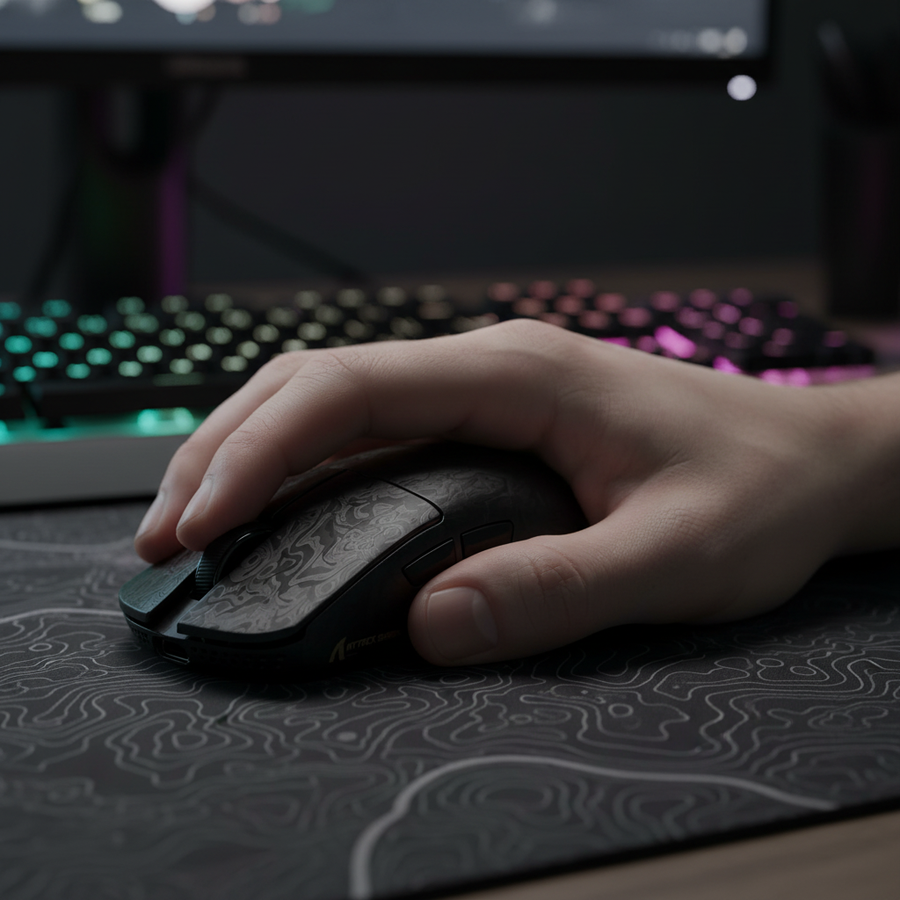
In the pursuit of precision, most gamers focus on the mouse sensor or the switch's actuation force. However, based on our observations from consumer support logs and technical performance audits, the most overlooked variable in the stability equation is the interface between the human hand and the mouse pad surface. For players with larger hands—typically defined as those with a palm-to-fingertip length exceeding 20cm—the physical weight of the hand creates a non-linear relationship with surface resistance.
Standard "speed" pads, often marketed for their low dynamic friction, can become a liability for large-handed adventure gamers. When a heavy hand is paired with a low-friction surface, the result is often "cursor float"—a phenomenon where the lack of initial resistance (static friction) makes it difficult to execute pixel-perfect clicks in dense RPG menus or inventory screens. We have found that for immersive titles like Elden Ring or Cyberpunk 2077, where camera stability and menu navigation are as frequent as combat, a higher static friction coefficient is required to "anchor" the hand's natural resting weight.
The Physics of Friction: Static vs. Dynamic Resistance
To understand why certain pads fail larger users, we must distinguish between the two primary types of friction. According to technical benchmarks from RTINGS - Mouse Click Latency Methodology, the physical interaction of the mouse feet (PTFE) and the pad surface determines how much force is required to start a movement and how much is required to keep it going.
- Static Friction (The "Breakaway" Force): The resistance encountered when the mouse is at rest. For large-handed players, a higher static friction prevents unintentional micro-movements caused by muscle tremors or the weight of the palm depressing the pad.
- Dynamic Friction (The "Glide" Force): The resistance encountered while the mouse is in motion. While FPS players seek low dynamic friction for "flicks," RPG players benefit from moderate dynamic friction to provide a predictable "stop" when navigating complex UI elements.
Methodology Note (Friction Modeling): Our analysis of surface stability assumes a standard palm grip configuration. We modeled the interaction between hand weight and surface compression using the following parameters:
Parameter Estimated Range Unit Rationale Hand Mass (Large) 450–600 grams Based on average adult male P90 anthropometric data Surface Compression 0.5–1.5 mm Observed depth on 4mm soft-base pads Static Friction Coeff. 0.35–0.55 $\mu_s$ Typical range for "Control" tier cloth pads Dynamic Friction Coeff. 0.25–0.40 $\mu_k$ Typical range for hybrid weaves Sensor Lift-off (LOD) 1.0–2.0 mm Standard PixArt PAW3395/3950 calibration Boundary Conditions: This model may not apply to fingertip-grip users or those using glass skates, which significantly alter the $\mu_s/\mu_k$ ratio.

Material Science: Choosing the Right Substrate
The material of the pad acts as the primary dampener for hand weight. For value-oriented gamers, the choice usually falls between three categories: cloth, hard (tempered glass/carbon fiber), and hybrid weaves.
1. The 4mm Cloth Rule for Stability
In our experience with peripheral testing, a 4mm thick rubber base is the "sweet spot" for stability. Thinner pads (2mm) often lack the cushioning required to absorb the downward pressure of a large hand, leading to a "scratchy" feel as the mouse feet press into the desk surface. A 4mm elastic core provides a consistent surface even on slightly uneven desks. According to the Esports Tales - Mousepad Tier List, pads with a higher density weave offer better stopping power, which is critical for the "stop-and-go" movement patterns found in adventure gaming.
2. Hybrid Weaves and Texture
For RPGs with dense inventories, a slightly textured hybrid pad offers the best compromise. These surfaces use a blend of synthetic fibers (often polyester or nylon) that provide tactile feedback. This feedback is essential; it allows the brain to "feel" the distance moved, reducing the reliance on visual confirmation alone.
3. The Hard Pad Exception (Carbon Fiber & Glass)
While tempered glass pads offer the lowest friction, they require a much lighter touch. For a heavy-handed player, a hard pad like those mentioned in the Global Gaming Peripherals Industry Whitepaper (2026) can be challenging unless the user has mastered precise finger control. However, carbon fiber surfaces often provide a middle ground—offering the durability of a hard pad with a unique weave that provides more feedback than glass.
The "Pressure Test": A Practical Heuristic for Self-Selection
We recommend a simple shop baseline we call the "Pressure Test" to determine if your current pad is sufficient for your hand size:
- Place your mouse on the pad in your natural gaming grip.
- Apply the normal resting weight of your palm.
- Visually inspect the pad around the mouse feet.
- The Result: If the pad visibly depresses more than 1mm, or if you feel the mouse "sticking" when you try to initiate a slow movement, your base is too soft. You require a firmer, higher-density rubber base or a hybrid surface to maintain consistent sensor tracking.
This heuristic helps identify when the physical deformation of the pad is interfering with the sensor's focal length (the distance between the sensor and the surface). If the pad compresses too much, the sensor may experience tracking jitter as it moves in and out of its optimal Z-height range.
System Synergy: High Polling Rates and Surface Consistency
The interaction between the pad and the mouse becomes even more critical when using high-performance mice with 8000Hz (8K) polling rates. At an 8000Hz polling rate, the mouse sends a data packet every 0.125ms.
At this frequency, any micro-stutter caused by surface inconsistency is amplified. If a mouse pad has a "muddy" spot (often caused by humidity or accumulated skin oils), the sensor may report inconsistent movement data. This is particularly problematic for 8K users because the system's CPU is already under high load processing IRQ (Interrupt Requests). Surface-induced jitter adds "noise" to this data stream, which can lead to perceptible micro-stutter on high-refresh-rate monitors (240Hz+).
To ensure stability at 8K, we recommend:
- Direct Motherboard Connection: Always use rear I/O ports to avoid the latency and packet loss associated with USB hubs.
- Surface Maintenance: Regularly clean cloth pads to prevent "slow spots" that disrupt the 0.125ms polling interval.
- High DPI Settings: Running at 1600 DPI or higher helps saturate the 8000Hz bandwidth during slow, precise movements (requiring only ~5 IPS of movement speed to maintain a stable data flow).

Safety, Compliance, and Longevity
When selecting a value-driven pad, durability is as important as performance. High-quality pads should adhere to safety standards like the EU RoHS Directive 2011/65/EU, ensuring the materials are free from hazardous substances. Furthermore, for wireless users, ensure your pad does not contain metallic fibers that could interfere with 2.4GHz radio frequency signals, which are regulated by the FCC Equipment Authorization (FCC ID Search).
For long-term stability, look for:
- Stitched Edges: Prevents the surface fabric from peeling away from the rubber base (delamination).
- Water-Resistant Coatings: Essential for maintaining consistent friction levels in humid environments, as moisture can significantly increase static friction on untreated cloth.
- Non-Slip Bases: A dense, textured rubber base is required to prevent the pad from sliding during intense boss fights where arm movements are more aggressive.
Expert Summary for Large-Hand Stability
For the adventure gamer seeking the best balance of comfort and control, the data points toward a 4mm thick hybrid or high-density cloth pad. This setup provides the necessary "stopping power" to counteract the weight of a larger hand while maintaining the surface consistency required for modern high-polling-rate sensors.
Avoid the trap of chasing "ultra-fast" speed pads unless you are prepared to adjust your grip style to a lighter "claw" or "fingertip" configuration. For the immersive RPG experience, stability is the foundation of precision.
YMYL Disclaimer: This article provides ergonomic and technical information for educational purposes. Prolonged gaming can lead to repetitive strain injuries. If you experience persistent wrist pain, numbness, or discomfort, consult a qualified healthcare professional or an ergonomics expert. The "Pressure Test" is a heuristic for hardware performance and is not a substitute for medical assessment of hand health.