


A Bluetooth mechanical keyboard is the right starting point when one board needs to move between a PC, laptop, and tablet, or when portability matters more than competitive gaming responsiveness. Choose 2.4GHz for wireless gaming, wired for the most predictable continuity, and tri-mode for a hybrid setup only when the exact model documents suitable host support, switching, and fallback behavior. Bluetooth support alone does not guarantee effortless device switching or low latency.

Choose Bluetooth for Mixed Devices, 2.4GHz or Wired for Priority Gaming
Match the connection to your main task: Bluetooth for cross-device convenience, 2.4GHz for wireless gaming, wired for dependable continuity, and tri-mode when one keyboard must cover all three needs. This selector reflects the typical tradeoff between Bluetooth's device flexibility and receiver-based wireless performance, but the exact keyboard still determines the result.
| Reader priority | Connection mode to start with | Tradeoff to verify |
|---|---|---|
| PC, laptop, and tablet workflow | Bluetooth | Supported hosts, saved pairings, and switching controls |
| Competitive or latency-sensitive gaming | 2.4GHz or wired | Exact mode behavior in the intended gaming setup |
| Casual gaming plus work | Bluetooth or tri-mode | Whether the board has a practical 2.4GHz or wired fallback |
| Portability and fewer cables | Bluetooth | Pairing friction and charging routine |
| Recovery from pairing or battery interruptions | Wired or tri-mode | USB-C wired use and the documented fallback process |
For a broader version of this selector, Bluetooth is generally suited to laptops, tablets, and multi-device use, while 2.4GHz or wired is the more defensible starting point when gaming responsiveness is the priority.

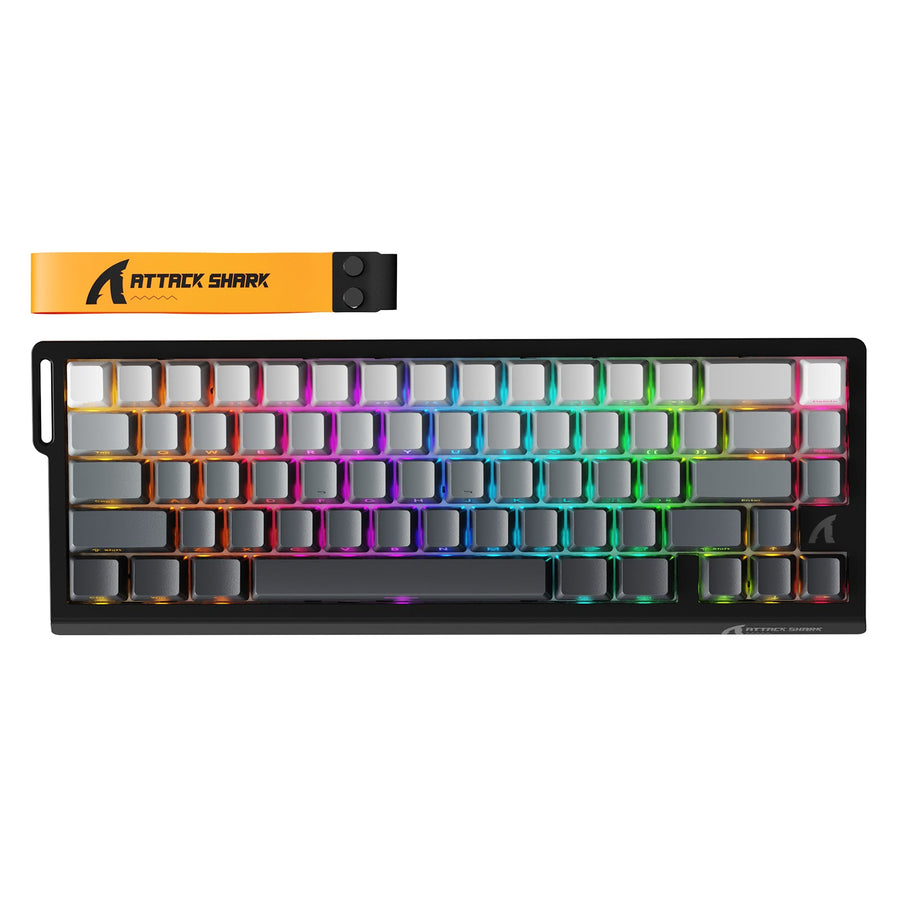
A tri-mode board can suit a mixed setup because it combines Bluetooth, 2.4GHz, and USB-C wired connections. The supplied product facts list tri-mode connectivity for the ATTACK SHARK K86 Wireless Mechanical Keyboard, ATTACK SHARK M87 Wireless Mechanical Keyboard, and ATTACK SHARK X66 Wireless Mechanical Keyboard. Those listed modes show coverage, not identical switching quality, runtime, or performance. Match the model's documented behavior to your setup before checkout.
Bluetooth vs. 2.4GHz vs. Wired: What Changes in Daily Use
The connection mode changes the likely tradeoff, not the guaranteed result. Bluetooth favors host flexibility, 2.4GHz is the better wireless starting point when gaming responsiveness matters most, and wired removes pairing and battery dependencies.
| Daily-use factor | Bluetooth | 2.4GHz | Wired |
|---|---|---|---|
| Responsiveness expectation | Convenience-first; model-dependent | Wireless gaming starting point | Predictable continuity |
| Device flexibility | Strong fit for laptops and tablets when supported | Receiver and host dependent | Usually tied to the cabled host |
| Setup dependency | Pairing and Bluetooth support | Receiver, port, and wireless environment | Cable and available USB port |
| Fallback concern | Battery or pairing interruption | Receiver or wireless interruption | No wireless battery or pairing dependency |
Bluetooth avoids relying on a dedicated receiver, which is useful for laptops and tablets where an open USB port or a separate dongle is inconvenient. A dedicated 2.4GHz connection is the better starting point when wireless gaming responsiveness matters more than tablet-friendly switching. Wired is the simplest recovery path when the task cannot tolerate a pairing or battery interruption.
Wireless performance can change with the keyboard's implementation, host, and nearby wireless activity. Bluetooth keyboard performance testing shows why wireless coexistence can affect connection quality and real-world behavior. Keyboard response also varies by model and measurement method, as explained in this analysis of keyboard response variation. Use the connection label as a buying heuristic, not as a measured latency result.
For competitive play, compare the exact mode you plan to use. Do not transfer a wired or 2.4GHz polling-rate or performance claim to Bluetooth. If you notice delay in a busy wireless environment, the guide to reduce gaming delay is a useful troubleshooting next step, but it does not establish a keyboard-specific latency result.
Switch a Bluetooth Mechanical Keyboard Across a PC, Laptop, and Tablet
Bluetooth can support a mixed-device workflow, but the keyboard's pairing behavior and switching controls determine whether it feels convenient. Use this four-step check before making one Bluetooth mechanical keyboard your only input device:
- Verify host support and saved-pairing behavior. Confirm that the exact product documents support for each intended PC, laptop, or tablet host. Look for how saved pairings are retained and how you select a stored connection.
- Pair each device once. Pair the keyboard with the devices you actually use, then note the key combination, button, or channel control used to select each connection. The goal is to measure the real action required, not assume that Bluetooth means instant switching.
- Test the complete routine. Move between devices from the desk or travel setup where the keyboard will live. Include waking the host, reconnecting after the keyboard has been idle, and returning to the previous device.
- Confirm wired recovery. Keep the USB-C cable available and learn the documented reset, reconnection, and wired-use steps. A model that requires repeated pairing or lacks a practical recovery path is a poor fit for a high-switching workflow.
This process is especially important for a mechanical keyboard for PC and tablet use. Bluetooth compatibility can make the device mix possible, but it does not establish a universal pairing count or switching experience. Use the exact product page or manual for those details.
Plan Charging and Keep Wired Fallback Ready
Treat battery and recovery behavior as part of the connection choice. Before buying, identify the exact model's documented battery information, charging method, status indicator, and wired-use behavior. Keep the cable accessible for long work sessions, travel, or latency-sensitive play.
A practical plan is simple: charge before an extended session, store the cable where you can connect it immediately, and use wired or documented 2.4GHz fallback when pairing, battery level, or a crowded wireless environment could interrupt the task. Nearby wireless activity can make a wireless keyboard feel less consistent, so the intended desk environment matters when responsiveness is important. If you prefer reading about general Bluetooth battery habits, treat that resource as mouse-focused guidance rather than proof of keyboard runtime or savings.
The final choice is clear: choose a Bluetooth mechanical keyboard for mixed-device convenience, portability, work, study, and casual play; choose 2.4GHz when wireless gaming responsiveness is the priority; choose wired when predictable continuity matters most. Choose tri-mode when the documented modes, host support, switching method, and fallback behavior match your hybrid setup. Before checkout, compare those exact fields for the model you plan to use.
FAQs
These questions cover gaming, device switching, and when Bluetooth-only use makes sense.
Can You Game on a Bluetooth Mechanical Keyboard?
Yes, Bluetooth can be reasonable for casual, turn-based, or less latency-sensitive play when the specific setup feels responsive. Competitive players should start with wired or 2.4GHz and evaluate the exact keyboard and mode rather than treating Bluetooth support as performance proof.
What Is the Main Reason to Choose Bluetooth Over 2.4GHz?
Bluetooth's main advantage is host flexibility. It can be a better fit for laptops, tablets, and mixed-device use when you do not want to depend on a dedicated receiver. Choose 2.4GHz when wireless gaming responsiveness is the higher priority.
How Do I Know Whether a Bluetooth Keyboard Will Switch Easily Between Devices?
Find the model's documented saved-pairing behavior and switching control, then count the actions needed to move between the devices you actually use. Pairing the devices and testing the routine from your normal desk setup gives a more useful answer than the Bluetooth label alone.
Is a Bluetooth-Only Mechanical Keyboard a Bad Choice?
No. Bluetooth-only is a sensible fit for portable or work-first use when the host devices and switching routine meet your needs. It is a narrower choice for buyers who want wireless gaming emphasis or dependable wired recovery, so choose a model with the required additional mode when those needs matter.