


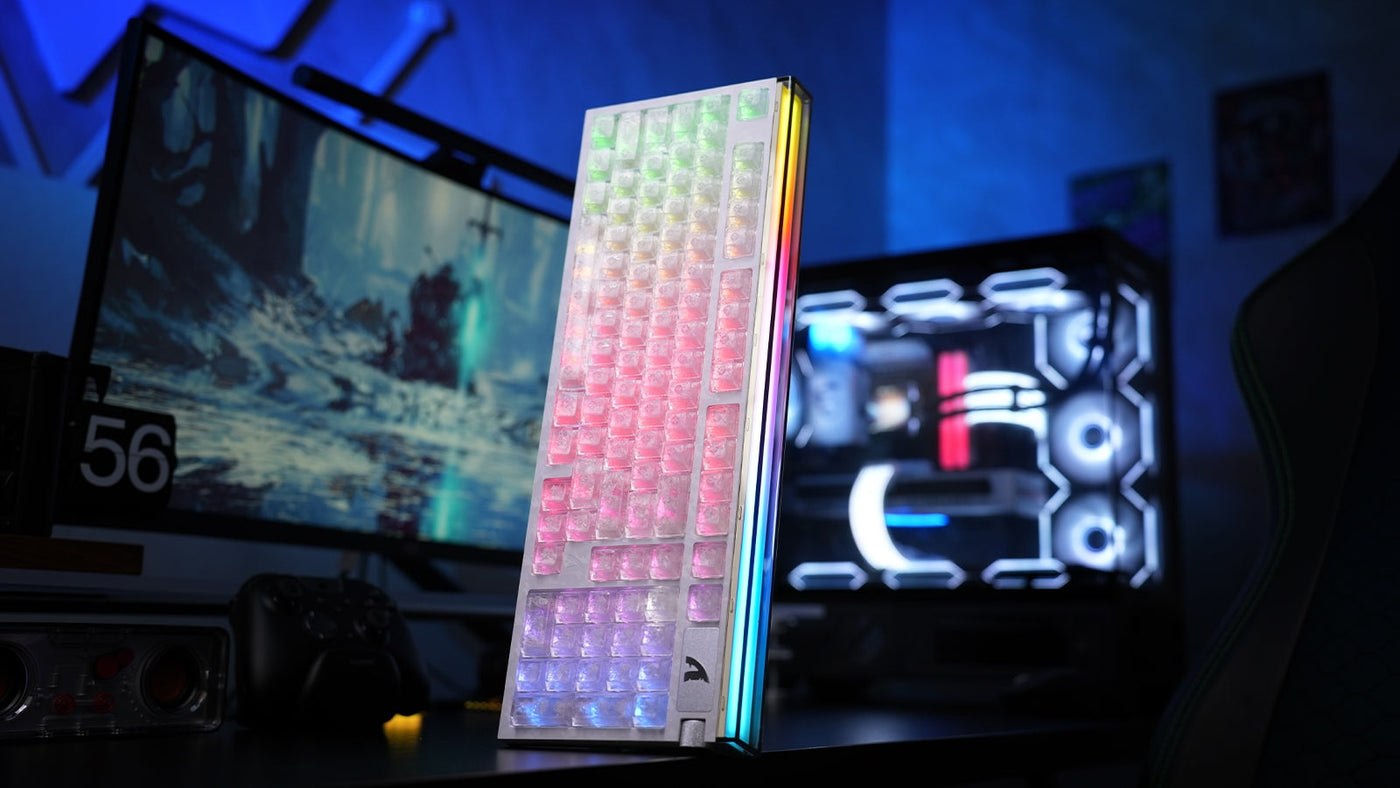
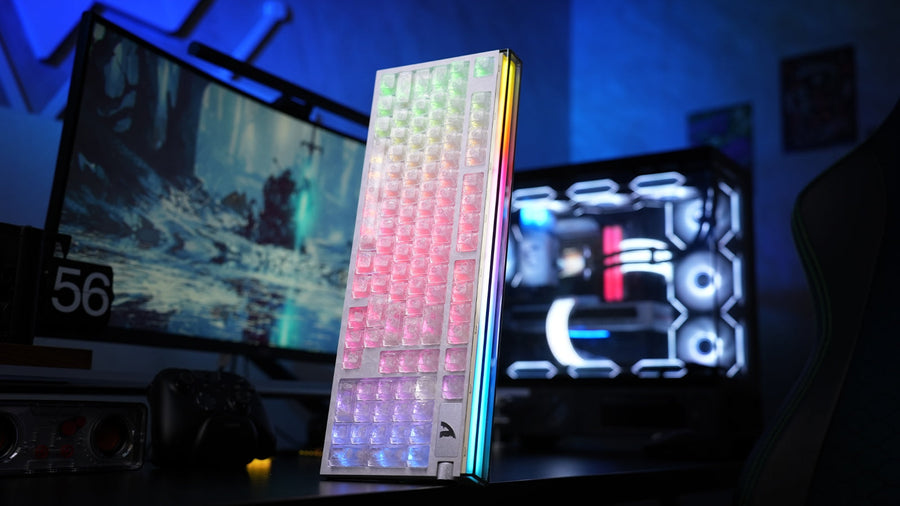
A rapid trigger keyboard can feel impressively responsive, but speed alone does not make it the right fit. The ATTACK SHARK R98 HE combines a space-saving 98-key keyboard layout with a number pad, visible RGB lighting, magnetic-switch controls, and a web-based configuration interface. The real decision is whether that combination matches the way you play, type, and use your desk.
ATTACK SHARK R98 HE At a Glance

The R98 HE keeps the familiar function row, arrow cluster, and number pad while compressing the gaps found on a traditional full-size board. Its white case and transparent keycaps give the lighting a prominent role, while the upper-right control area adds a rotary input and a compact display. This is a feature-dense design rather than a minimalist competitive board.
The Hall effect gaming keyboard format is the central attraction. Magnetic sensing allows compatible software to change how a key responds through its travel, which is the foundation for rapid trigger behavior. That flexibility is useful only when the settings are understandable and repeatable, so the configuration experience deserves as much attention as the hardware.
Why the 98-Key Layout Matters
A 98-key keyboard layout is aimed at players who still use number entry, shortcuts, or productivity controls but want to recover some mouse space. It is narrower than a conventional full-size design because the navigation cluster is integrated into the main block. The tradeoff is tighter spacing, so moving from a separated full-size layout may require a short adjustment period.
This format makes particular sense for a mixed-use desk. You can keep a number pad for spreadsheets or work, then switch to a gaming profile without changing keyboards. Players who use very low mouse sensitivity should still measure the available sweep area before choosing any numpad-equipped board.
Rapid Trigger Starts With Good Setup
Rapid trigger changes when a key resets after you begin releasing it. Instead of treating every press as a fixed on-and-off event, the keyboard can respond to movement through the key travel. In fast direction changes, that can make the control feel more immediate. An overly sensitive profile, however, can also turn small finger movements into unwanted inputs.
The visible web driver presents a full keyboard map alongside rapid trigger and advanced key controls. That layout makes keyboard software setup part of the normal ownership process. USB Human Interface Device standards define a common framework for keyboard input communication. A useful interface should let you identify the selected key, see the current value, save changes, and return to a known profile without guesswork.
Build a Baseline Profile First
Start with conservative settings across the board and save that state before experimenting. Test ordinary typing, repeated key presses, and game movement separately. A baseline gives you a reliable way back if a more aggressive rapid trigger keyboard setting creates accidental inputs. Keeping software and firmware updated helps ensure that configuration changes use the latest available fixes and device support.
Tune Movement Keys Separately
Competitive players usually care most about a small group of movement and action keys. Adjust those keys in modest steps instead of applying maximum sensitivity everywhere. The goal is not the lowest possible value; it is a setting that responds quickly while remaining predictable under your normal finger pressure.
Design Details You Will Notice Every Day

The transparent keycaps make the RGB effect visible across the board, even in a bright white setup. That look is distinctive, but it also means lighting choices strongly shape the keyboard's appearance. The rotary control and display area add useful visual structure to the upper-right corner without removing the number pad.
A close view of the removable keycap or switch component reinforces that this is a keyboard meant to invite tuning and inspection. Before making changes, confirm which components the product officially supports and use the correct puller or removal method. Magnetic switch compatibility should never be assumed from shape alone.
Typing Feel Needs a Personal Check

The hands-on typing demonstration covers sustained typing on the assembled board, which is useful for judging the overall presentation and listening for consistency. Sound captured by a video still depends on the microphone, room, desk surface, and recording treatment. Treat it as a reference point rather than a guarantee of how the keyboard will sound in your setup.
For daily use, pay attention to more than sound. Check whether the compressed navigation area feels natural, whether the keycap surface suits longer sessions, and whether your typing remains accurate with the chosen actuation behavior. A magnetic switch keyboard can be tuned for gaming without forcing the same response on every key.
Who Should Consider the R98 HE
The R98 HE is a logical candidate for players who want rapid trigger controls and still rely on a number pad. It also suits a single-keyboard workspace where gaming and productivity happen at the same desk. The RGB-forward transparent design will appeal most to users who want the keyboard to remain a visible part of the setup.
A smaller 60% or 75% board may be a better choice when maximum mouse room matters more than number entry. A conventional mechanical keyboard may also be simpler for users who do not plan to tune actuation or rapid trigger profiles. The best choice depends on the controls you actually use, not the longest feature list.
A Practical Setup Checklist
- Confirm that the keyboard sits flat and that the cable reaches without strain.
- Open the official configuration tool and save a conservative baseline profile.
- Test normal typing before changing rapid trigger behavior.
- Adjust movement keys in small steps and check for unintended repeats.
- Verify that number pad and navigation functions match your daily workflow.
- Save separate profiles when work and gaming need different responses.
What To Know Before Choosing the R98 HE
Is the ATTACK SHARK R98 HE a full-size keyboard?
It is a compact full-size-style layout. The 98-key arrangement retains a number pad and function row while reducing the empty space between key groups.
Does rapid trigger always make gaming better?
No. It can make key reset behavior feel faster, but settings that are too sensitive may produce accidental inputs. A controlled profile is more useful than chasing the smallest value. A fast-trigger keyboard essentially means that it allows manual adjustment of key travel. Its significance lies not only in improving response speed, but also in giving you the opportunity to choose and adjust, so you can always find a gaming experience that suits you.
Can one profile work for gaming and typing?
It depends. Moderate settings may suit both, but separate profiles give you better control when movement keys need a different response from letters used for long-form typing.
Are all magnetic switches interchangeable?
No. Physical fit does not guarantee electrical or firmware compatibility. Check the official compatibility information before replacing switches.
Who benefits most from a 98-key Hall effect board?
Players who want tunable magnetic key behavior without losing the number pad get the clearest benefit. Users prioritizing maximum mouse space may prefer a smaller layout.