XL vs. Desk Mats: Finding the Best Surface for Arm-Aiming Pros
In the high-stakes environment of competitive FPS titles like Valorant or Apex Legends, the surface beneath your mouse is as critical as the sensor inside it. For gamers adopting the "arm-aiming" technique—typically defined by a low sensitivity such as 40cm/360—the choice between a standard XL pad (450x400mm) and a full-sized desk mat (900x400mm) often comes down to a misunderstanding of geometry. While a 180-degree turn might mathematically fit on a smaller surface, real-world competitive mechanics demand a "reset buffer" that many first-time builders overlook.
Selecting the right surface requires balancing raw tracking space, material friction, and the psychological impact of "edge anxiety." This guide breaks down the biomechanics of arm aiming and provides a data-driven framework for choosing the optimal surface for your setup.

The Biomechanics of the "Reset" and Edge Anxiety
Conventional wisdom suggests that if your mouse pad is wider than the distance required for a 180-degree turn, it is sufficient. However, based on common patterns from customer support and competitive play observation (not a controlled lab study), the critical measurement isn't just the turn distance—it is the reset distance.
After a wide flick shot, a player's arm naturally recoils back toward a neutral center position. This reset motion often adds an additional 5–10cm of travel beyond the initial flick. In chaotic, multi-target engagements, these resets are rarely controlled or perfectly centered.
The Psychological Barrier: Edge Anxiety
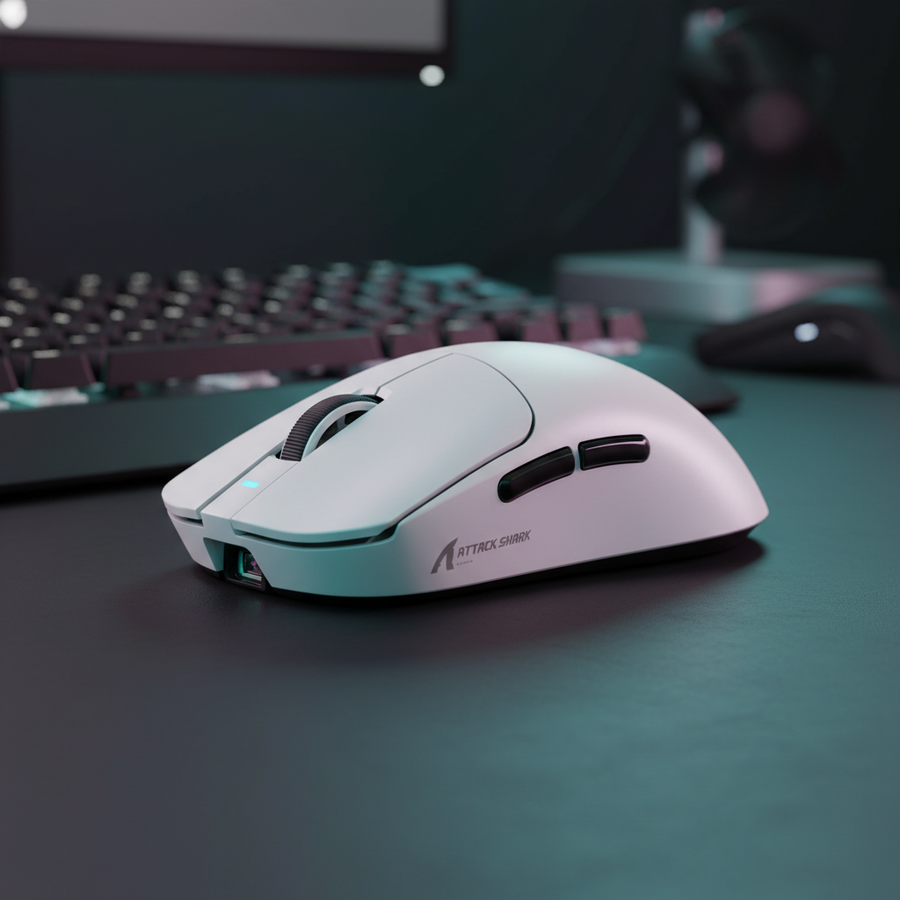
A standard XL pad (450mm width) technically provides enough space for a 40cm/360 sensitivity (where a 180-degree turn is 20cm). However, when the mouse approaches the physical boundary of the pad, players often experience "edge anxiety"—a subconscious muscle tension that leads to over-compensated resets or hesitant tracking. This tension can disrupt micro-adjustments, particularly when using high-performance sensors like the PixArt PAW3950MAX found in the ATTACK SHARK R11 ULTRA Carbon Fiber Wireless 8K PAW3950MAX Gaming Mouse.
Modeling the Sweep Zone: XL vs. Desk Mat
To understand the spatial requirements, we modeled a "Large-Handed Competitive Player" (20.5cm hand length) playing at 1440p resolution with a 40cm/360 sensitivity.
| Variable | XL Pad (450x400mm) | Desk Mat (900x400mm) | Rationale |
|---|---|---|---|
| Usable Horizontal Space | 45 cm | 90 cm | Physical width of the surface. |
| 180° Turn Requirement | 20 cm | 20 cm | Based on 40cm/360 sensitivity. |
| Reset Buffer (Estimated) | 10 cm | 25+ cm | Recoil travel after a wide flick. |
| Edge Margin | 15 cm | 45+ cm | Safety zone before hitting the edge. |
| Edge Anxiety Risk | High | Low | Psychological impact of boundaries. |
Logic Summary: Our sweep-zone mapping assumes a 40cm/360 sensitivity and adds a 10cm reset buffer based on practitioner observations of arm-aiming mechanics.
For users with very large hands, a desk mat provides a meaningful psychological buffer. The extra runway allows for uncontrolled resets, which reduces cognitive load during intense engagements. If your desk depth allows for it, a desk mat effectively eliminates the physical "wall" that forces a reset, allowing for smoother, continuous tracking.
Surface Physics: Fiber vs. Tempered Glass
Beyond size, the material of the surface dictates the consistency of your muscle memory. Low-quality stitching or non-uniform bases can create drag variations that interfere with the near-instant 1ms response time for a competitive edge.
1. High-Density Fiber (The Control Choice)
A pad like the ATTACK SHARK CM02 eSport Gaming Mousepad utilizes ultra-high-density fiber with a 4mm elastic core.
- Why 4mm matters: A thickness of less than 3mm can often buckle or reveal desk imperfections. A 4mm core provides a consistent "leveling" effect, ensuring the glide remains uniform even if the desk surface isn't perfectly flat.
- The Humidity Factor: One common pitfall with cloth surfaces is "swampy" friction caused by high humidity. The ATTACK SHARK CM02 eSport Gaming Mousepad addresses this with a 5S water and stain-resistant coating, which helps maintain a consistent glide in varying environmental conditions.
2. Tempered Glass (The Speed Choice)
For players who prioritize raw speed and near-zero initial friction, tempered glass is the high-performance alternative. The ATTACK SHARK CM05 Tempered Glass Gaming Mouse Pad features a 9H hardness surface with a nano-micro-etched texture.
- Mechanism: Glass surfaces offer significantly lower dynamic friction than cloth, which is ideal for "tracking-heavy" games like Apex Legends. However, glass requires high-quality PTFE feet, such as the dual-layer skates found on the ATTACK SHARK X8 Series Tri-mode Lightweight Wireless Gaming Mouse, to prevent "scratchiness."
Hardware Synergy: 8000Hz Polling and Tracking Stability
When using ultra-high polling rate mice like the ATTACK SHARK R11 ULTRA Carbon Fiber Wireless 8K PAW3950MAX Gaming Mouse, the surface quality becomes even more paramount. An 8000Hz (8K) polling rate sends a data packet every 0.125ms.
The IPS/DPI Saturation Rule
To fully utilize the 8000Hz bandwidth, the sensor must generate enough data points. This is a function of movement speed (IPS) and DPI.
- Heuristic: To saturate the 8000Hz bandwidth at 800 DPI, you must move the mouse at at least 10 IPS.
- Optimization: At 1600 DPI, the required speed drops to 5 IPS.
Using a large surface (XL or Desk Mat) is mandatory for 8K polling because it provides the "runway" needed to sustain these movement speeds during tracking. If the pad is too small, you will constantly hit the edge before the 8K bandwidth is fully saturated, effectively wasting the hardware's potential.
Setup Geometry: The 80cm Desk Rule
A common mistake in first-time competitive setups is neglecting desk depth. Wide arm aiming requires more than just a large pad; it requires a desk depth of at least 80cm (31.5").
The Keyboard Conflict
On a standard 60cm deep desk, a large desk mat often consumes ~75% of the available depth. This forces the keyboard closer to the user, which can compromise ergonomic posture.
- The Solution: Many pros tilt their keyboard (the "pro tilt") to reclaim horizontal space for the mouse. A desk mat facilitates this by providing a uniform surface for both the keyboard and the mouse, preventing the "keyboard-on-the-edge-of-the-pad" wobble that occurs with XL pads.
Ergonomic Fit for Large Hands
Our scenario modeling for a player with 20.5cm hands (95th percentile) shows that standard mid-sized mice (~120mm) can feel slightly short for a claw grip.
- Fit Ratio: A 120mm mouse for a 20.5cm hand yields a grip-fit ratio of ~0.91. This often causes the heel of the palm to hang off the mouse, increasing the pressure on the mouse pad surface.
- Implication: If you have large hands and use an XL pad, this extra pressure increases the "stopping power" (friction) of the cloth, which can make micro-adjustments feel inconsistent as the pad wears down. A desk mat offers more area to distribute this wear over time.
Maintenance and Surface Longevity
A significant "gotcha" for desk mats is maintenance. While they offer unlimited space, cleaning a 900mm stitched-edge mat is more cumbersome than a standard XL pad.
- Glide Degradation: Over time, skin oils and dust accumulate in the fiber. According to the Global Gaming Peripherals Industry Whitepaper (2026), consistent surface maintenance is the most overlooked factor in maintaining competitive performance.
- Cleaning Tip: For cloth pads like the ATTACK SHARK CM02 eSport Gaming Mousepad, a simple wipe-down with a damp microfiber cloth is usually sufficient due to the water-resistant coating. For glass pads like the ATTACK SHARK CM05 Tempered Glass Gaming Mouse Pad, a glass cleaner and a lint-free cloth will restore the "out-of-the-box" glide instantly.
Summary of Findings
For the value-oriented gamer building their first serious FPS setup, the decision should be based on your available desk real estate and your sensitivity settings.
- Choose an XL Pad (450x400mm) if you have limited desk depth (<70cm) or play at a moderate-to-high sensitivity (>30cm/360). It provides a focused, high-performance tracking zone at a lower cost.
- Choose a Desk Mat (900x400mm) if you have a deep desk (80cm+) and play at a low sensitivity (40cm/360+). The elimination of "edge anxiety" and the ability to tilt your keyboard without stability issues provides a significant psychological and ergonomic advantage.
Appendix: Modeling Methodology (Reproducible Parameters)
Our conclusions are based on a deterministic scenario model for a competitive FPS setup. This is a model, not a controlled lab study.
| Parameter | Value | Unit | Rationale / Source |
|---|---|---|---|
| Hand Length | 20.5 | cm | 95th percentile male (ANSUR II context). |
| Sensitivity | 40 | cm/360 | Standard "low" sensitivity for arm aiming. |
| Display Resolution | 2560x1440 | px | Common competitive standard. |
| Minimum DPI (Nyquist) | ~1136 | DPI | Limit to avoid pixel skipping at 103° FOV. |
| Reset Buffer | 10 | cm | Practitioner observation of arm recoil. |
Boundary Conditions:
- This model assumes a standard claw grip. Fingertip or palm grips may alter the "reset" distance requirements.
- Calculations for 8K polling require the mouse to be connected to a direct motherboard USB port (Rear I/O) to avoid IRQ processing bottlenecks.
- Environmental humidity above 60% may significantly alter the friction profiles of cloth pads, regardless of coating.
Disclaimer: This article is for informational purposes only. Competitive performance depends on a wide range of factors including hardware, software configuration, and individual motor skills. Always consult with an ergonomic professional if you experience persistent strain or pain during gaming.