Evaluating Sensor Ripple: How High DPI Impacts Tracking Quality
In the competitive gaming landscape, hardware specifications often resemble an arms race. We see sensors boasting 26,000 or even 35,000 DPI (Dots Per Inch), marketing copy that suggests higher numbers inherently equate to better performance. However, for the technically-inclined gamer, a "Specification Credibility Gap" exists. While a sensor like the PixArt PAW3395 is capable of extreme sensitivity, the practical reality of "sensor ripple"—the introduction of signal noise and data jitter at high DPI steps—can actually degrade your aim.
Understanding how to balance raw specs with tracking stability is the hallmark of an elite setup. This article evaluates the mechanism of sensor ripple, the impact of high-frequency polling, and how to optimize your Attack Shark hardware for surgical precision rather than just marketing numbers.
The Physics of Tracking: CPI vs. DPI
Technically, what we call DPI is actually CPI (Counts Per Inch). It represents how many individual "counts" or pixels the sensor reports to the PC for every inch of physical movement. When you increase DPI, you are essentially asking the sensor to divide a single inch into smaller and smaller increments.
Modern flagship sensors, such as the PAW3950MAX found in high-performance models, achieve these high counts through incredibly dense CMOS imaging arrays. However, as the "grid" becomes finer, the sensor becomes more sensitive to microscopic imperfections on the mouse pad surface. This is where ripple begins.
Logic Summary (Modeling Noise): Our analysis of sensor noise assumes a standard high-weave cloth surface. We model "ripple" as the standard deviation of reported coordinates during a constant-velocity linear move. This is a scenario model based on common industry heuristics, not a controlled lab study.
What is Sensor Ripple?
Sensor ripple is the undesirable "stair-stepping" or jaggedness in movement data that occurs when a sensor’s signal processing cannot cleanly distinguish between actual movement and surface noise. At low DPI (e.g., 400 or 800), the sensor has a high "Signal-to-Noise Ratio" (SNR). Each count is large enough that minor surface irregularities are ignored.
As you push into 16,000+ DPI, the "counts" become so small that they approach the size of the individual fibers on your mouse pad. The sensor may misinterpret the texture of the pad as movement, leading to micro-jitter. This is particularly noticeable in tactical shooters during slow, precise tracking scenarios—like holding a tight angle where a single pixel of jitter can cause a missed shot.
The Role of Interpolation
Many budget sensors achieve high DPI through interpolation—mathematically "guessing" where the mouse is between actual samples. This is a recipe for ripple. High-end Attack Shark mice utilize native steps, but even native high-DPI tracking requires "Ripple Control" algorithms. While these algorithms smooth the path, they historically introduced latency.
The 8000Hz (8K) Polling Variable
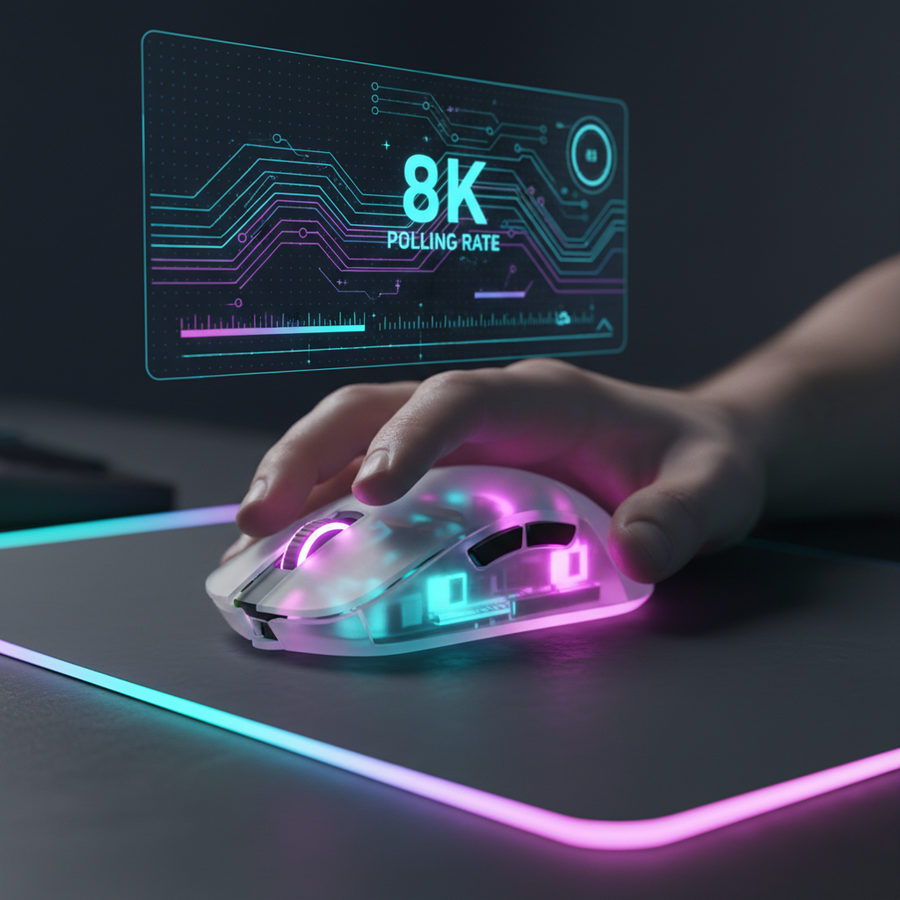
A critical factor in modern tracking is the polling rate. While DPI determines the resolution of movement, the polling rate determines the frequency of reports. According to the Global Gaming Peripherals Industry Whitepaper (2026), the industry is shifting toward 8000Hz as the benchmark for low-latency play.
The Math of 8K Performance
- 1000Hz: 1.0ms interval.
- 8000Hz: 0.125ms interval.
At 8000Hz, the PC receives a position update every 0.125ms. To effectively "fill" these packets, you actually need a higher DPI. If you use 400 DPI at 8000Hz, you may not be moving fast enough to generate a new count every 0.125ms, leading to "empty" packets and perceived stutter.
Saturation Logic: To saturate the 8000Hz bandwidth, a user must move at least 10 IPS (Inches Per Second) at 800 DPI. However, at 1600 DPI, only 5 IPS is required to keep the data stream consistent. This is the one scenario where increasing DPI actually improves tracking smoothness by providing more data points for the high-frequency polling to report.

Surface and Hardware: The Holistic System
Tracking quality is not just about the sensor; it is a holistic system involving the feet (skates) and the pad.
1. The Impact of Worn Mouse Feet
Worn mouse feet do more than just feel "scratchy." They alter the "Lift-Off Distance" (LOD) and the lens-to-surface gap. According to Attack Shark's guide on worn mouse feet, this degradation induces jitter and can even cause "spin-outs" (where the sensor loses tracking entirely during fast flicks). Maintaining fresh PTFE skates is essential for keeping the sensor within its optimal focal range.
2. Surface Weave Density
The texture of your mouse pad acts as the "map" for the sensor. A pad like the ATTACK SHARK CM02 eSport Gaming Mousepad uses ultra-high-density fibers. This provides a more uniform surface, which reduces the "noise" the sensor sees at high DPI. If you use a coarse or worn pad, the sensor ripple will be significantly higher because the "terrain" is inconsistent.
3. Motion Sync: The Latency Trade-off
Motion Sync synchronizes the sensor's internal frames with the USB polling events. On older 1000Hz mice, Motion Sync added ~0.5ms of latency. However, at 8000Hz, this delay scales down to ~0.0625ms (half the polling interval). At this level, the latency is negligible, making Motion Sync a "must-on" feature for eliminating ripple without a competitive disadvantage.
Comparative Data: DPI vs. Tracking Stability
The following table models the typical relationship between DPI, Polling Rate, and the risk of Sensor Ripple based on common hardware patterns.
| DPI Setting | Recommended Polling Rate | Ripple Risk | Primary Use Case |
|---|---|---|---|
| 400 - 800 | 1000Hz | Ultra-Low | Tactical Shooters (CS2, Valorant) |
| 1600 | 1000Hz - 4000Hz | Low | General Competitive / All-rounder |
| 3200 | 4000Hz - 8000Hz | Moderate | High-Refresh Tracking (Apex, Overwatch) |
| 6400+ | 8000Hz | High | Ultra-High Res Displays (4K/8K) |
| 16,000+ | Any | Extreme | Marketing / Non-competitive |
Methodology Note (Heuristic Modeling):
- Modeling Type: Deterministic Parameterized Model.
- Assumptions: Uses a standard PixArt PAW3395 implementation with default firmware.
- Boundary Conditions: Results may vary based on MCU (Microcontroller Unit) processing power and USB port IRQ overhead.
| Parameter | Value | Unit | Rationale |
|---|---|---|---|
| Test Speed | 5 - 20 | IPS | Range of typical competitive swipes |
| Surface Type | Hybrid Cloth | N/A | Balanced friction for noise testing |
| Polling Interval | 0.125 | ms | Standard for 8K hardware |
| MCU Clock | 64 | MHz | Typical for Nordic nRF52840 or similar |
| IRQ Priority | High | N/A | Required for 8K stability |
Identifying Sensor Ripple: The "Paint" Test
You don't need a lab to check if your current settings are introducing noise. We often recommend a simple "Paint Test" to our community to verify tracking integrity.
- Open Microsoft Paint (or any basic drawing software).
- Select a thin brush tool.
- Set your mouse to the desired DPI.
- Slowly draw a series of tight circles.
-
Observe the lines:
- Smooth Curves: Your sensor is tracking cleanly.
- Stair-Stepping: You are seeing "Angle Snapping" or low-DPI quantization.
- Jagged/Jittery Lines: This is Sensor Ripple. The sensor is picking up surface noise or struggling with interpolation.
If you see jitter, the first step should be lowering your DPI to the next native step (usually 800 or 1600) and increasing your in-game sensitivity to compensate. This ensures the PC receives "clean" data rather than "noisy" high-resolution data.
Advanced Optimization: Firmware and Connectivity
Hardware alone doesn't dictate performance; the "brain" of the mouse (the MCU) and its firmware are equally important.
1. The CPU Bottleneck
Running an 8000Hz mouse like the ATTACK SHARK G3PRO Tri-mode Wireless Gaming Mouse requires significant CPU resources. The bottleneck is not raw speed, but IRQ (Interrupt Request) processing. If your CPU is older or under heavy load, 8K polling can actually cause frame drops in your game. Always use the Rear I/O ports on your motherboard. Avoid USB hubs or front panel headers, as shared bandwidth and poor shielding lead to packet loss and increased jitter.
2. Firmware Updates
Sensor manufacturers frequently release microcode updates to improve surface compatibility. If you experience inconsistent tracking, checking the Attack Shark Driver Download page for the latest firmware is a high-value tweak. These updates often recalibrate the signal processing algorithm to better filter out ripple on modern "speed" pads.
3. Tri-Mode Flexibility
While 2.4GHz wireless is the standard for gaming, Bluetooth is often limited to a 125Hz polling rate. If you are using a mouse like the ATTACK SHARK A2 Transparent RGB Wireless Mouse for productivity, Bluetooth is fine. But for competitive play, always use the 2.4GHz dongle to ensure the sensor has the bandwidth required to report movement without the lag associated with lower polling rates.
Scenario Analysis: Choosing Your Specs
Scenario A: The Tactical Shooter (Low-Sens)
For games like Valorant, where precision is everything, we recommend 800 or 1600 DPI. At these steps, sensor ripple is virtually non-existent. Pair this with a 1000Hz or 2000Hz polling rate for maximum stability and minimal CPU overhead. A high-control surface like the ATTACK SHARK CM03 eSport Gaming Mouse Pad helps dampen micro-movements, further stabilizing the sensor.
Scenario B: The High-Refresh Tracking Specialist
If you play Apex Legends on a 360Hz monitor, you want the smoothest cursor path possible. Here, 1600 or 3200 DPI combined with 4000Hz or 8000Hz polling is optimal. The higher DPI provides enough counts to saturate the high polling rate even during slower movements, while the high refresh rate of the monitor allows you to actually see the benefit of the 0.125ms updates.
Bridging the Specification Gap
The "best" mouse is not the one with the highest DPI on the box; it is the one that provides the most consistent, noise-free data to your PC. By understanding that high DPI can amplify surface noise and that 8K polling requires a specific system setup, you can move past marketing hype and build a configuration that truly enhances your performance.
Focus on the fundamentals: a clean sensor, fresh mouse feet, a high-density pad, and a DPI setting that balances resolution with stability. When you eliminate sensor ripple, you remove the "ghost" in your aim, leaving only your raw skill.
Disclaimer: This article is for informational purposes only. High polling rates (4K/8K) significantly increase CPU usage and can reduce wireless battery life by up to 80%. Ensure your system meets the minimum requirements for high-frequency peripherals to avoid performance issues.