The Biomechanics of Competitive Input: Why Grip Style Dictates Performance
In the ecosystem of high-stakes competitive gaming, the mouse is not merely a peripheral; it is a specialized transducer that converts biological kinetic energy into digital telemetry. While technical specifications like DPI and polling rate are frequently scrutinized, the physical interface—the mouse grip style—remains the most critical variable in determining aim consistency and long-term musculoskeletal health.
The relationship between a gamer's hand and the mouse shell determines the leverage available for micro-adjustments and the stability required for broad flicks. According to the Global Gaming Peripherals Industry Whitepaper (2026), the industry is shifting toward "grip-agnostic" engineering, yet practitioners find that hardware must still align with specific biomechanical archetypes to achieve peak efficiency. This article provides a technical framework for understanding how palm, claw, and fingertip grips interact with modern hardware to create a competitive advantage.
The Three Pillars of Grip: Palm, Claw, and Fingertip
Technical analysis identifies three primary grip patterns, each utilizing different muscle groups and offering distinct trade-offs in speed and precision.
1. Palm Grip: The Stability Archetype
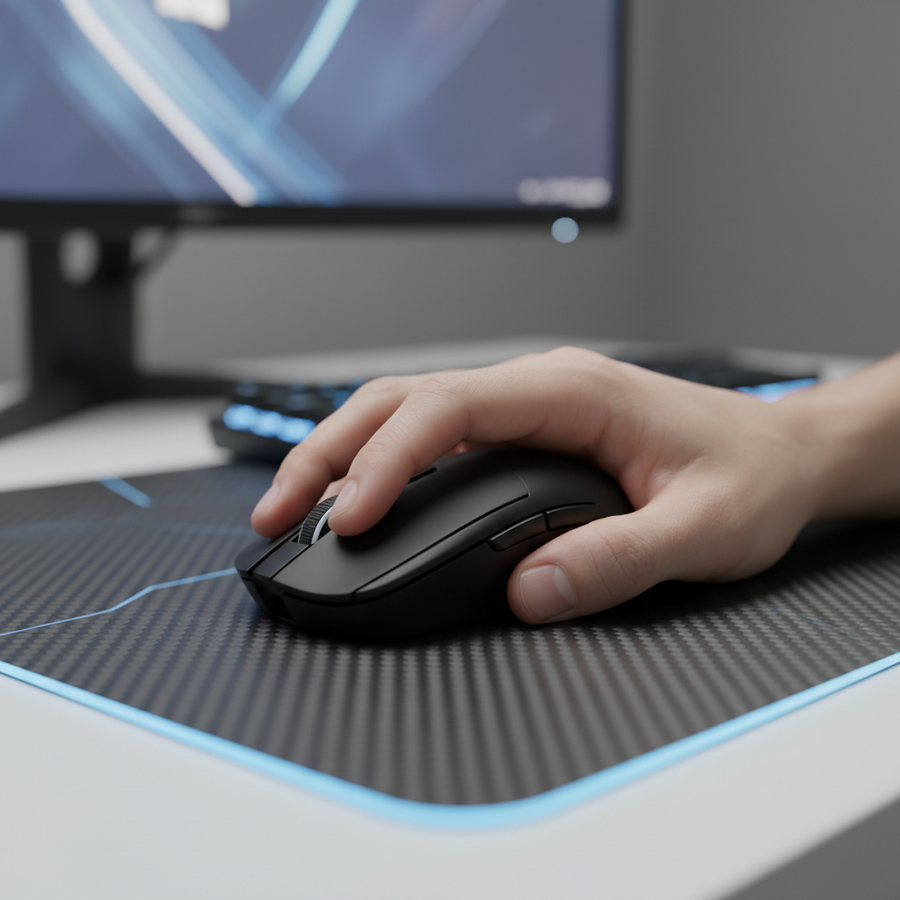
The palm grip is characterized by maximum contact between the hand and the mouse shell. The entire palm rests on the hump, and the fingers lay flat across the primary buttons. * **Biomechanics:** Movement is primarily driven by the shoulder and elbow (large muscle groups). * **Advantage:** Exceptional stability for low-sensitivity tracking and long-range accuracy. * **Technical Constraint:** Reduced vertical range of motion. Because the fingers are "locked" to the shell, micro-adjustments must come from the wrist or arm, which have higher inertia than the phalanges.2. Claw Grip: The Hybrid Standard
In a claw grip, the base of the palm (the carpal region) contacts the rear of the mouse, while the fingers are arched, bringing the fingertips into a perpendicular or high-angle contact with the buttons. * **Biomechanics:** Utilizes a combination of arm movement for flicks and wrist/finger flexion for micro-corrections. * **Advantage:** Faster click actuation due to the arched finger position, which pre-tensions the tendons. * **Technical Constraint:** High dependence on "hump" geometry. If the hump peaks too far forward, it can interfere with the metacarpophalangeal (knuckle) joints.3. Fingertip Grip: The Agility Archetype
The most technically demanding style, where only the fingertips contact the mouse. The palm remains entirely suspended. * **Biomechanics:** Movement is driven almost exclusively by the fingers and wrist. * **Advantage:** Maximum agility and the highest ceiling for micro-adjustments. It allows for "verticality" in aim that other grips cannot match. * **Technical Constraint:** Requires ultra-lightweight hardware to prevent fatigue, as the fingers lack the leverage of the full arm.
Dimensional Heuristics: The 60% Rule and Fit Ratios
A common mistake observed in competitive FPS communities is forcing a grip style onto a mouse with incompatible dimensions. Based on patterns identified from technical support and hardware return data, we have developed a heuristic for self-selection known as the 60% Rule.
For a true fingertip grip to be effective, the mouse length should be roughly 60% or less of the user's hand length (measured from the wrist crease to the tip of the middle finger). If the mouse exceeds this ratio, the rear of the shell often makes unintended contact with the palm during downward micro-adjustments, dampening the range of motion and causing "aim-stutter."
Methodology Note (Selection Modeling): This heuristic assumes a standard hand width-to-length ratio of 0.48. For users with wider-than-average palms, the width of the mouse (grip width) becomes the primary limiting factor for comfort.
| Grip Style | Recommended Mouse Length (% of Hand) | Primary Contact Points | Ideal Weight Range |
|---|---|---|---|
| Palm | 90% - 100% | Full Palm, All Fingers | 60g - 80g |
| Claw | 75% - 85% | Carpal Base, Fingertips | 50g - 65g |
| Fingertip | < 60% | Fingertips Only | < 50g |
For users seeking the absolute limit of agility, the ATTACK SHARK R11 ULTRA Carbon Fiber Wireless 8K PAW3950MAX Gaming Mouse utilizes a forged carbon fiber shell to reach a weight of just 49 grams. This reduction in mass is critical for fingertip aimers, as it lowers the initial force required to overcome static friction, allowing for near-instant target acquisition.
Engineering the Hump: Support vs. Speed
For claw and palm grip users, the "hump"—the highest point of the mouse shell—is the most critical ergonomic feature. Our analysis of ergonomic posture suggests that the hump's apex should ideally align with the metacarpophalangeal joints when the hand is in a natural resting state.
- Rear-Positioned Hump: Favors claw grip users by providing a stable anchor point for the carpal base. This allows the fingers to arch naturally without over-extending the wrist.
- Center-Positioned Hump: Optimized for palm grip, filling the natural arch of the hand and Preventing Wrist Fatigue Through Optimal Weight Distribution.
When selecting hardware like the ATTACK SHARK V8 Ultra-Light Ergonomic Wireless Gaming Mouse, the sculpted right-handed shape is designed to support the natural pronation of the forearm, which is vital for users who spend 8+ hours in-game.
8000Hz Polling and Sensor Saturation: The Technical Edge
Grip style determines how you move the mouse, but the internal hardware determines how that movement is interpreted. Modern high-performance mice, such as the ATTACK SHARK R11 ULTRA, offer 8000Hz (8K) polling rates, which provide a significant reduction in input latency.
The Math of 8K Performance
* **1000Hz Polling:** 1.0ms interval between reports. * **8000Hz Polling:** 0.125ms interval between reports.At 8000Hz, the interval is nearly 10 times smaller than standard mice. This reduces "micro-stutter" on high-refresh-rate monitors (240Hz+). However, to fully saturate this 8000Hz bandwidth, the sensor must generate enough data points. This is governed by the formula:
- Packets per second = Movement Speed (IPS) × DPI.
To maintain a stable 8000Hz stream, a user moving at 10 IPS (Inches Per Second) would need at least 800 DPI. At 1600 DPI, only 5 IPS is required. This means that fingertip aimers, who often use higher DPI settings for micro-adjustments, are uniquely positioned to benefit from 8K polling stability.
System Requirements for 8K Polling:
- CPU Overhead: 8K polling increases IRQ (Interrupt Request) processing load. High single-core CPU performance is mandatory.
- USB Topology: The receiver must be plugged into a Direct Motherboard Port (Rear I/O). Using USB hubs or front-panel headers can cause packet loss and signal interference.
- Battery Trade-off: Running at 8000Hz typically reduces wireless battery life by ~75% compared to 1000Hz mode.
The Friction Equation: Grip x Mousepad Surface
Many gamers overlook the role of the mousepad in stabilizing their chosen grip. The interaction between the mouse feet (typically PTFE) and the pad surface creates "static friction" (the force needed to start moving) and "dynamic friction" (the force needed to keep moving).
- Fingertip Grip + Speed Pads: A dangerous combination for some. Because fingertip grips have the least "braking" surface (no palm contact), using an ultra-low friction speed pad can lead to over-flicking.
- Palm Grip + Control Pads: Palm grip users already provide significant downward pressure. A high-friction control pad may make the mouse feel "muddy," increasing fatigue.
The ATTACK SHARK CM04 Genuine Carbon Fiber eSport Gaming Mousepad offers a unique middle ground. The genuine dry carbon fiber surface provides a uniform X/Y axis weave, ensuring that flick distance is consistent regardless of direction. This is especially beneficial for Balancing Weight and Shape: Finding Stability in Light Mice.
Addressing Common Pitfalls and "Gotchas"
Even with the right hardware, poor habits can undermine performance.
- The "Death Grip": Gripping the mouse too tightly increases muscle tension, which slows down reaction time and leads to RSI (Repetitive Strain Injury). Your grip should be firm enough for control but light enough to allow for fluid motion.
- Sensor Misalignment: Fingertip and hybrid claw users often tilt the mouse slightly. If the sensor is not perfectly horizontal to your line of sight, your horizontal flicks will actually travel at a slight diagonal. Advanced users should Correct Sensor Angle via Grip Style through software offsets or physical adjustment.
- Cable Drag: For those not using wireless models like the ATTACK SHARK G3 Tri-mode Wireless Gaming Mouse, cable drag can completely change the "feel" of a grip. A bungee is a mandatory investment for wired competitive play.
Modeling the Competitive Advantage: Method & Assumptions
To provide actionable data, we modeled the impact of grip style on "Time to Target" (TTT) and "Stability Index" (SI) based on standard industry heuristics for high-sensitivity vs. low-sensitivity playstyles.
Modeling Note (Scenario Analysis): These estimates are based on a deterministic model of human motor control (Fitts's Law) and do not represent a clinical laboratory study.
| Parameter | Value / Range | Unit | Rationale |
|---|---|---|---|
| Hand Size (Length) | 18 - 19 | cm | Standard "Medium" hand size |
| Mouse Weight | 49 - 59 | g | Ultra-lightweight category |
| Polling Rate | 1000 - 8000 | Hz | Modern high-spec range |
| Surface Type | Carbon Fiber | - | CM04 reference surface |
| Movement Speed | 5 - 15 | IPS | Typical competitive micro-adj. |
Boundary Conditions:
- Model assumes 1:1 raw input (No Mouse Acceleration).
- Results may vary significantly for users with pre-existing carpal tunnel or tendonitis.
- Display refresh rate must be >144Hz to perceive 8K polling benefits.
Extracting Maximum Value from Your Hardware
Choosing a grip style is a personal evolution, but it must be informed by technical reality. If you prioritize raw agility and micro-precision, an ultra-lightweight carbon fiber mouse like the R11 ULTRA paired with a fingertip grip is the current performance ceiling. If you require the comfort of a palm grip for long sessions, an ergonomic shell like the V8 provides the necessary support to maintain health without sacrificing sensor accuracy.
By understanding the biomechanics of your grip and the technical demands of your hardware—such as the math behind 8000Hz polling and the physics of carbon fiber surfaces—you can transition from a casual user to an informed competitor.
Disclaimer: This article is for informational purposes only. Ergonomic recommendations are based on general patterns and heuristics; individual physiological needs may vary. If you experience persistent pain, numbness, or tingling in your hands or wrists, consult a qualified medical professional or physical therapist.