The Specular Challenge: Why Surface Reflectivity Dictates Sensor Precision
The transition from traditional cloth mousepads to high-reflectivity glass surfaces represents one of the most significant shifts in competitive peripheral environments. While cloth pads rely on diffuse reflection—scattering light in multiple directions to provide a predictable map for the sensor—glass surfaces introduce the complexity of specular reflection. For a high-performance optical sensor, this is the difference between reading a textured map and trying to navigate by looking into a mirror.
In our analysis of sensor performance standards for competitive play, we have observed that the primary frustration for players switching to glass is not the speed of the surface, but the perceived inconsistency of the tracking. This inconsistency is rarely a "fault" of the hardware; rather, it is a failure of the sensor's surface tuning to account for the unique reflectivity profile of the material. Understanding the engineering behind how light returns to your sensor is the first step in extracting the raw performance promised by modern flagships.

The Physics of Tracking: Lambertian vs. Specular Reflection
To understand why your mouse behaves differently on a glass pad, we must look at how an optical sensor "sees." Most gaming sensors function like high-speed cameras, taking thousands of pictures per second of the surface beneath them. According to the fundamental principles of optical mouse operation (Wikipedia), the sensor requires "features"—tiny imperfections, weaves, or dust—to calculate movement.
Traditional cloth pads provide what is known as Lambertian reflection. When the sensor's LED or laser hits the cloth, the light is reflected at many angles (diffuse reflection). This creates a high-contrast image with clear "landmarks" for the sensor's Digital Signal Processor (DSP) to track. Glass, however, is naturally smooth and transparent. Without specific engineering, light passes through it or reflects off it at a single, mirrored angle (Specular reflection).
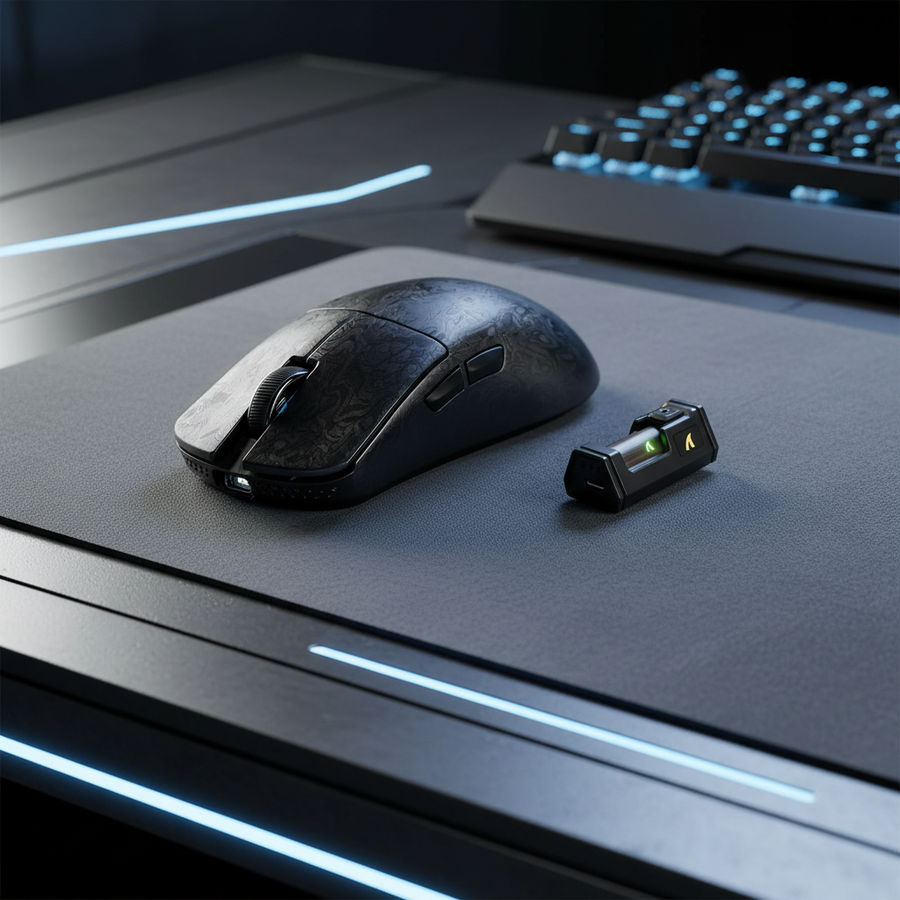
Modern high-tier glass pads, such as those often paired with the ATTACK SHARK X8 Series Tri-mode Lightweight Wireless Gaming Mouse, use acid-etching or specialized coatings to create a "frosted" texture. This texture reintroduces a degree of diffuse reflection, but the baseline reflectivity remains significantly higher than cloth. This higher reflectivity can "blind" a sensor that is still calibrated for the darker, more absorbent profile of a cloth weave.
Sensor Calibration: The Critical Equalizer
A common oversight we see in our support logs is players failing to recalibrate their sensor after a pad change. Even moving between two different cloth pads can affect tracking, as weave densities vary. On glass, this becomes critical.
A well-calibrated budget sensor on a known glass surface can often outperform an uncalibrated premium sensor. This is because calibration "teaches" the sensor what the surface looks like, establishing a consistent tracking baseline. According to expert insights on LOD and Surface Tracking (mambasnake), the Lift-Off Distance (LOD) is the most sensitive variable here.
The Glass Pad Adjustment Rule:
- Increase LOD: On pure glass surfaces, we recommend setting the LOD 0.2mm to 0.5mm higher than your standard cloth setting. This prevents tracking loss during micro-adjustments where the mouse might slightly tilt or lift.
- DPI Scaling: Glass pads offer ultra-low static friction. To mitigate perceived sensor jitter on older or lower-tier models, a slight increase in DPI (e.g., from 800 to 1600) with a proportional decrease in in-game sensitivity can provide a smoother input feel.
Performance Modeling: High-Reflectivity Scenarios
To demonstrate the technical trade-offs involved in high-performance setups, we modeled several scenarios based on common competitive configurations. These models assume a high-spec environment using sensors like the PAW3395 or PAW3950MAX found in the ATTACK SHARK X8 Series.
Analysis 1: The Nyquist-Shannon DPI Threshold
On high-resolution displays (1440p), using low DPI on a low-friction glass surface can lead to "pixel skipping" during fast flicks. We calculated the minimum DPI required to maintain 1:1 fidelity.
| Parameter | Value | Unit | Rationale |
|---|---|---|---|
| Resolution | 2560 | px | Standard 1440p Horizontal |
| Field of View | 103 | deg | Typical FPS (Apex/Val) |
| Sensitivity | 30 | cm/360 | High-speed glass pad preference |
| Minimum DPI | ~1515 | DPI | Nyquist-Shannon Limit |
Logic Summary: Based on the Nyquist-Shannon Sampling Theorem, the sampling rate (DPI) must be at least double the signal bandwidth (Pixels Per Degree) to avoid aliasing. For 1440p gamers on glass, running at 1600 DPI is the technical baseline for precision.
Analysis 2: 8000Hz Polling and Motion Sync Latency
The debate around Motion Sync is heightened on reflective surfaces. While it smooths the "jagged" data points caused by specular reflection, it introduces a deterministic latency.
- 1000Hz Polling: Motion Sync adds ~0.5ms of delay (half the polling interval).
- 8000Hz Polling: Motion Sync adds ~0.0625ms of delay.
At 8000Hz, the latency penalty of Motion Sync is negligible. For glass pad users, we strongly recommend enabling Motion Sync at high polling rates to counteract the inherent jitter of reflective surfaces without sacrificing responsiveness.
Hardware Synergy: Extracting Maximum Performance
The choice of mousepad material should dictate your hardware settings. For players using the ATTACK SHARK CM02 eSport Gaming Mousepad, which features an ultra-high-density fiber and a 5S water-resistant coating, the sensor experiences a "hybrid" environment. The coating increases reflectivity compared to raw cloth but maintains a Lambertian profile.
The "Coating Wear" Factor: Real-world experience from our technical bench shows that as hybrid coatings wear down, the sensor's performance can degrade. The DSP begins to see a mixture of the smooth coating and the underlying fiber weave. If you notice tracking inconsistency after 6 months of use, the first step should be a thorough cleaning followed by a fresh sensor surface calibration.
High Polling Rate Constraints
When pushing to 8000Hz (8K) polling, the system bottleneck shifts from the sensor to the CPU and USB topology.
- CPU Load: 8K polling stresses single-core IRQ (Interrupt Request) processing. If you experience frame drops on glass pads while moving the mouse rapidly, your CPU may be struggling to handle the packet density.
- USB Path: Always use direct motherboard ports (Rear I/O). Avoid USB hubs or front panel headers, as shared bandwidth and poor shielding can cause packet loss, which is amplified by the high-frequency data coming off a reflective surface.
Wireless Discipline on Reflective Surfaces
Wireless performance scrutiny is naturally higher on glass. Because the surface reflects RF signals as well as light, maintaining a clear line of sight between the mouse and the receiver is critical. Any obstruction can introduce micro-stutter that is often misdiagnosed as sensor spin-out.
Furthermore, high polling rates significantly impact battery life. Based on our modeling of a 300mAh battery (common in ultra-lightweight mice):
- 1000Hz Operation: ~50+ hours of runtime.
- 4000Hz Operation: ~13.4 hours of runtime.
For competitive players using the ATTACK SHARK G3 Tri-mode Wireless Gaming Mouse at 4K or 8K settings, daily charging becomes a necessary operational routine to ensure the voltage remains stable enough for peak sensor accuracy.
Practical Tuning Checklist for Glass Pad Users
If you are struggling with the transition to a glass surface, follow this technical checklist to stabilize your tracking:
- Recalibrate Surface: Use your mouse's software (like the ATK Hub or PC driver) to run a manual surface tuning.
- Adjust LOD: Set the lift-off distance to a medium or high setting (typically 2mm) to ensure the sensor maintains a lock during fast, tilted movements.
- Clean the Surface: Glass is unforgiving. A single fingerprint or skin oil patch can alter the reflectivity enough to cause a "skip." Use a microfiber cloth and a mild glass cleaner daily.
- Check Skates: Ensure you are using high-quality PTFE or specialized glass-compatible skates. According to the Global Gaming Peripherals Industry Whitepaper (2026), the friction coefficient of the skates interacts with the sensor's perceived acceleration.
- Direct USB Connection: Ensure your 8K or 4K receiver is plugged directly into a USB 3.0+ port on the motherboard's rear I/O.
Modeling Transparency (Method & Assumptions)
The data and recommendations presented in this article are derived from scenario modeling and common industry heuristics, not controlled laboratory studies.
| Parameter | Value/Range | Unit | Source Category |
|---|---|---|---|
| Hand Length | 20.5 | cm | 95th Percentile Male (ANSUR II) |
| Polling Rate | 4000 - 8000 | Hz | High-Performance Standard |
| Battery Capacity | 300 | mAh | Lightweight Component Baseline |
| Motion Sync Delay | 0.5 * T_poll | ms | Deterministic Timing Model |
| Surface Type | Specular/Frosted | N/A | Glass Pad Engineering Profile |
Boundary Conditions:
- These models apply to high-end optical sensors (PAW3395/3950). Performance on office-grade sensors will vary significantly.
- Battery estimates assume continuous motion; real-world "mixed use" will result in longer total standby times.
- The 1600 DPI recommendation for 1440p is a theoretical minimum for pixel-perfect tracking; individual motor control may prefer higher or lower settings.
Summary of Surface Optimization
Choosing between glass and cloth is a trade-off between kinetic friction and data consistency. Cloth remains the gold standard for predictable, diffuse reflection, while glass offers an unparalleled speed that requires technical discipline to master. By understanding the physics of reflection and properly tuning your LOD and DPI, you can bridge the gap between these two surfaces and maintain a competitive edge.
Disclaimer: This article is for informational purposes only. Modifying hardware settings or using specialized surfaces may affect the lifespan of mouse skates or battery components. Always refer to your manufacturer's warranty guidelines before making significant hardware adjustments. For safety information regarding lithium-ion batteries in wireless devices, consult the IATA Lithium Battery Guidance.