


Competitive players are considering a PAW3955MAX gaming mouse because newer sensor platforms, lightweight shells, wireless modes, and 8K polling can look like a meaningful step up. But the best wireless FPS mouse is not automatically the one with the largest DPI or polling-rate number. A worthwhile upgrade should solve a real problem, such as poor fit, unstable wireless behavior, uncomfortable clicks, or a frustrating setup workflow—and the exact implementation still needs to be verified.

What Makes the Best Wireless FPS Mouse
The strongest best wireless FPS mouse candidates combine a suitable shape, dependable connection, consistent clicks, and predictable sensor behavior. A high sensor ceiling or 8K label can be useful, but neither proves better aim, faster reactions, or stronger tournament results by itself. Independent wireless gaming mouse comparisons likewise evaluate stability, shape, control, clicks, and sensor behavior together rather than treating one specification as decisive.
| Factor | Why It Matters | What To Verify |
|---|---|---|
| Fit and grip | A shape that matches your hand and grip can make long sessions easier to control. | Compare dimensions, button reach, hump position, balance, and your usual grip. |
| Wireless stability | A connection that behaves consistently matters more than a headline mode on the box. | Check the intended receiver, placement, interference risk, and wired fallback. |
| Click behavior | Click feel and consistency affect repeated movement and shooting inputs. | Look for clear switch details, unwanted pre-travel, double-click reports, and return coverage. |
| Sensor implementation | DPI, tracking, lift-off behavior, and firmware work together. | Treat maximum DPI and IPS figures as listing details, not proof of flawless tracking. |
| Polling rate | A higher setting may be worth testing if the complete setup remains stable and comfortable. | Change one setting at a time in the games you actually play. |
If you are comparing technical terms, our guide to gaming mouse sensor basics can help separate DPI, IPS, acceleration, polling, and lift-off behavior. The practical question is not whether a specification sounds advanced; it is whether the mouse feels controlled and repeatable in your setup.

How PAW3955MAX Features Map to FPS Buyer Needs
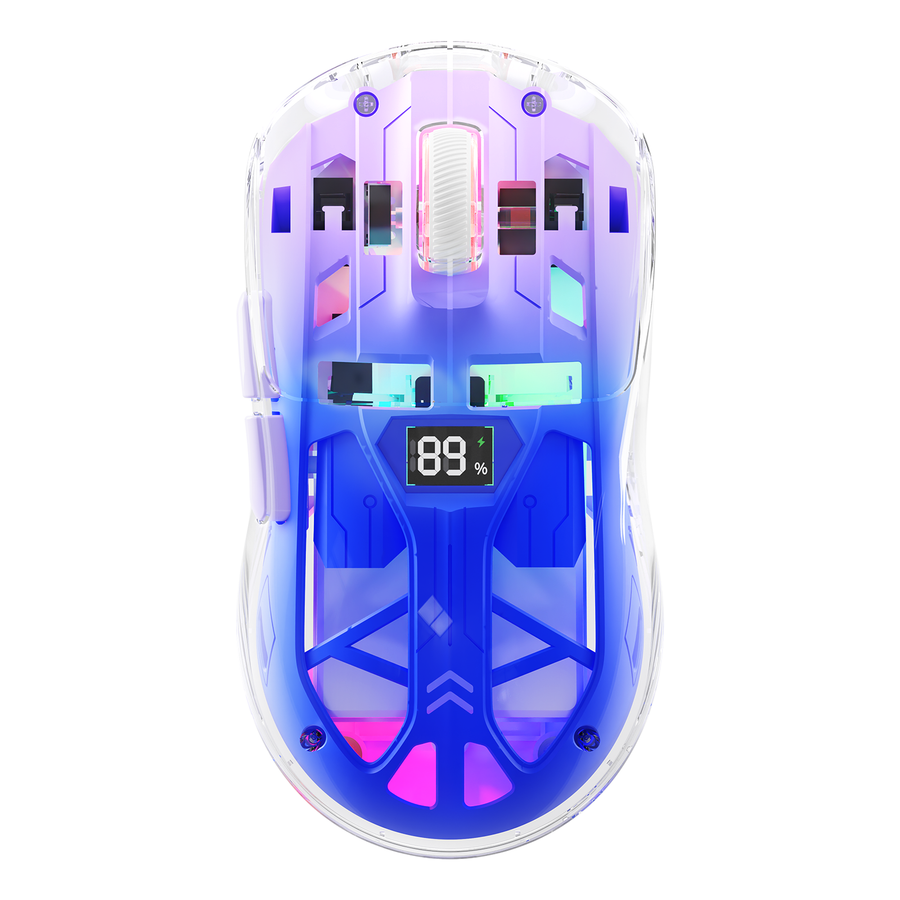
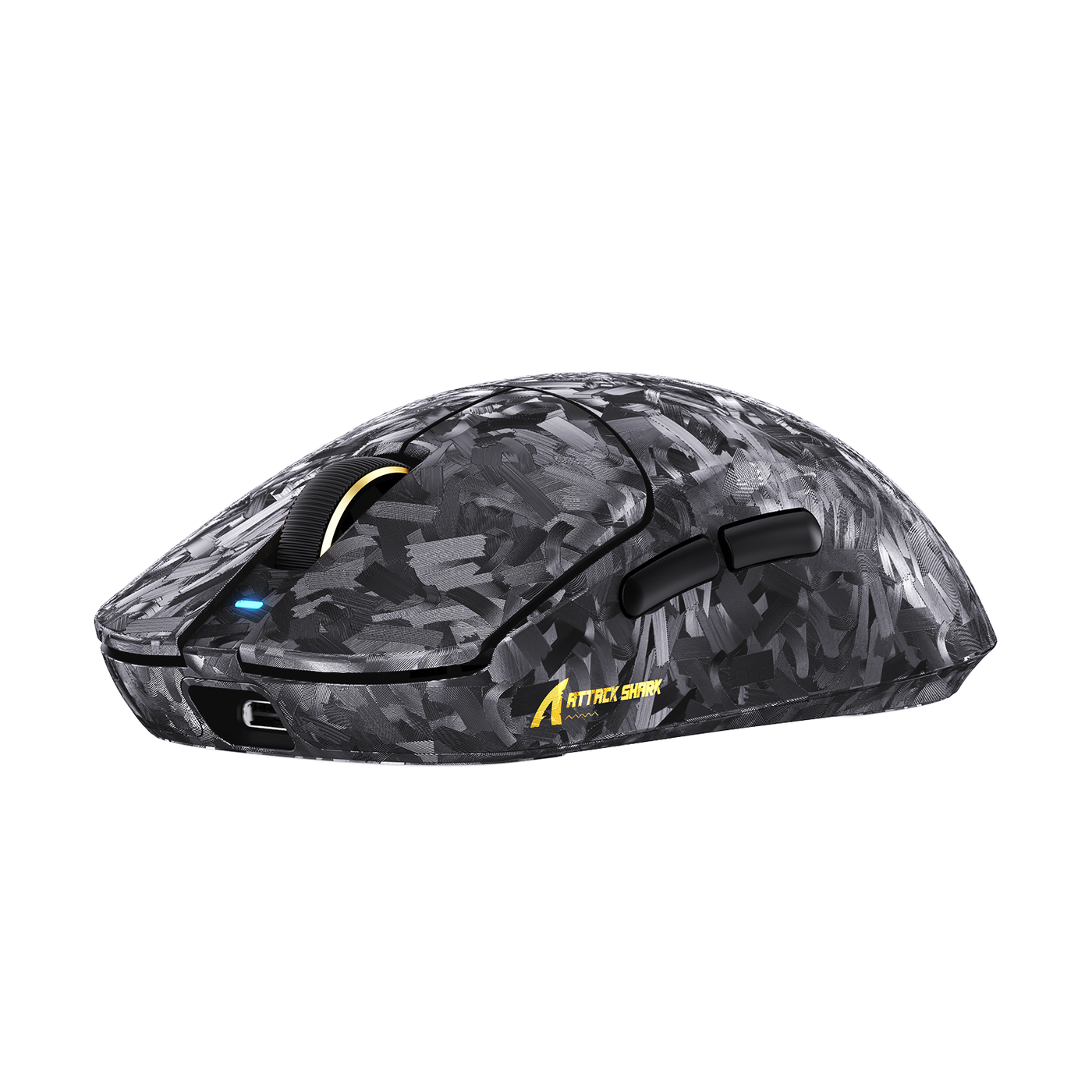
The current RS3 ULTRA listings advertise a PAW3955MAX sensor, a carbon-fiber wireless design, a listed 63g weight, 8K polling, and multiple connection modes. One listing also presents figures such as 1–52,000 DPI, 850 IPS, 75G acceleration, and 20,000 FPS tracking, plus a response claim of up to 0.168ms (RS3 ULTRA listing; RS3 ULTRA with C06 cable). These are manufacturer listing claims, not independent measurements, so use them as details to verify before buying rather than as proof of a competitive advantage.
Sensor Specifications Need Context
A sensor name is a starting point, not a conclusion. Check the exact product page or manual for the fields below, and do not assume that two PAW3955MAX listings share identical firmware, accessories, or configuration.
| Listing Field | Practical Question | Conclusion To Avoid |
|---|---|---|
| Sensor name | Is PAW3955MAX confirmed for this exact model and bundle? | The sensor name alone guarantees better aim. |
| DPI range | Can the software set the sensitivity you actually use? | A larger DPI ceiling makes normal FPS sensitivity more precise. |
| IPS and acceleration | Are these independently tested or only advertised? | The listed maximum proves tracking quality in every situation. |
| Lift-off behavior | Can you adjust or confirm it for your pad and low-sensitivity style? | A sensor specification replaces testing with your surface and grip. |
| Firmware | Is there a documented update and configuration path? | Every model in the same sensor family has identical firmware support. |
The same rule applies to a low latency wireless gaming mouse: the label is less useful than a stable connection, sensible firmware, and controls that remain consistent during real play.
Wireless Modes Need a Setup Check
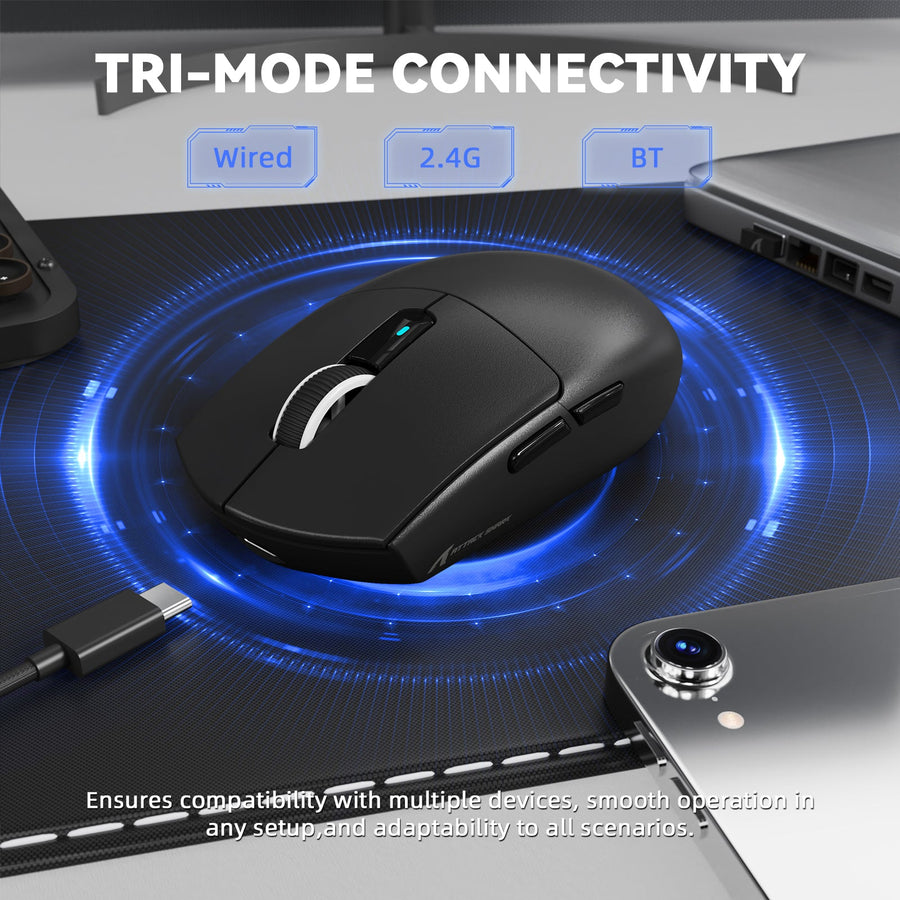
Before ordering, confirm the exact connection workflow for the specific RS3 ULTRA listing. The available listing describes Bluetooth, 2.4GHz, and wired modes, but the included receiver, software requirements, operating-system support, and model-specific setup details still need confirmation.
- Confirm that the intended competitive mode uses the included 2.4GHz receiver.
- Check where the receiver should sit relative to the mouse and PC.
- Verify whether wired mode works as a fallback for charging or troubleshooting.
- Treat Bluetooth as a convenience mode unless the documentation supports your use case.
- Check software access, firmware instructions, USB requirements, and supported platforms.
- Compare the exact bundle before assuming the C06 cable listing includes the same accessories or specifications as another RS3 ULTRA page.
A brand-level security and software notice is a reason to check the current download and support path, not proof that this model has a defect (software and security notice).
Weight, Shell, and Grip Must Match the Player
The listing's carbon-fiber construction and 63g figure may appeal to players moving away from a heavier mouse, but neither fact determines whether the shape suits your hand. Compare the published dimensions when available, then consider balance, button reach, side-wall feel, and whether your palm, claw, or fingertip grip stays relaxed.
A lighter carbon fiber gaming mouse can feel easier to reposition for some players and less predictable for others. The only reliable decision is a fit check under your normal sensitivity, mouse pad, and session length, backed by a return path you can use if the shape does not work.
When 8K Polling Is Worth Testing
An 8K polling-rate mouse should be treated as a setup option, not a universal competitive upgrade. Higher polling may be worth testing when your operating system, game, hardware, software, and control feel remain stable; a lower setting is the better choice if it preserves repeatability and comfort. Current buying context supports that conditional approach, without establishing a guaranteed latency or frame-time improvement (polling-rate buying context).
| Choice | Suitable Condition | Potential Benefit | Risk Or Uncertainty | Buyer Check |
|---|---|---|---|---|
| Keep your current setting | Your mouse feels stable and your aim routine is consistent. | No transition cost or new troubleshooting. | You may not learn whether a higher setting suits your setup. | Change nothing unless you have a specific reason to test. |
| Test higher polling | The exact mouse, software, game, and system support the setting, and you can compare consistently. | You can evaluate whether cursor feel and control suit your setup. | Behavior may vary by game or configuration; the label does not guarantee a visible benefit. | Change only polling, then compare the same drills and matches. |
| Return to a stable lower setting | The higher setting introduces discomfort, instability, software friction, or no clear control benefit. | Preserves predictable practice and session comfort. | You may need to recheck settings after firmware or software changes. | Keep the setting that feels repeatable, not the one with the larger number. |
If you want a practical setup framework, use our guide to find your 8K sweet spot. Some enthusiast discussions remain skeptical of high polling when an existing mouse already feels good, but that perspective is not independent performance proof.
How to Test Fit Before Replacing Your Mouse
A new mouse deserves consideration only after you identify the current limitation and check the new model in the conditions where you actually play. Use this five-step process before treating a specification upgrade as a performance upgrade.
- Identify the bottleneck. Write down what is failing: shape, hand fatigue, balance, click feel, wireless dropouts, software access, or an accessory problem. If you cannot name a limitation, the purchase is probably spec-led.
- Compare physical fit. Check the exact dimensions when the listing provides them, then compare hump position, width, button reach, side shape, grip, and balance. A listed weight cannot tell you how the mouse will feel during a long low-sensitivity adjustment.
- Verify connection and software. Confirm the receiver, intended 2.4GHz workflow, wired fallback, Bluetooth role, operating-system support, and configuration software for the exact listing. Do not transfer details from another Attack Shark model.
- Test in real games. Use your normal sensitivity, pad, refresh settings, and FPS titles. Change one variable at a time, and compare stopping control, micro-adjustments, click consistency, and comfort across more than a short first impression.
- Confirm the return path. Before checkout, review current return terms, warranty coverage, included accessories, software instructions, and listing differences. If you cannot return the mouse and the product evidence is incomplete, the threshold for buying should be higher. For bundle-specific details, check the RS3 ULTRA bundle before placing it in your cart.
Stop or return the mouse if the shape causes persistent grip tension, the connection cannot be made reliable in your setup, required software is unavailable, or the product does not match the listing you evaluated.
When a PAW3955MAX Upgrade Makes Sense
A PAW3955MAX upgrade is most defensible when it addresses a demonstrated fit, connection, control, or workflow problem and the exact product details check out. It is a weak purchase when the only motivation is a newer sensor name, a 52,000 DPI figure, or an 8K label.
| Buyer Situation | Evidence Level | Recommended Action |
|---|---|---|
| Your current mouse has a clear fit, connection, click, or workflow problem, and the exact RS3 ULTRA configuration appears to address it. | Stronger conditional case, provided the listing and return terms are verified. | Upgrade now, after the pre-cart checks. |
| You like the feature package but have not confirmed the shape, software, receiver workflow, or independent testing. | Important questions remain open. | Test first if you have a practical return option; otherwise wait. |
| Your current mouse is comfortable and stable, and the attraction is mainly PAW3955MAX, DPI, or 8K branding. | No demonstrated bottleneck. | Wait rather than replacing a working setup for a headline number. |
Use the RS3 ULTRA PAW3955MAX mouse as the exact listing to inspect, not as a guarantee of lower latency or better aim. If you are comparing product families, you can view the R11 ULTRA option, but its different sensor family is not evidence for PAW3955MAX performance.
Before adding any model to your cart, verify:
- the exact sensor and included accessories;
- dimensions, balance, and grip compatibility;
- the intended 2.4GHz, wired, and Bluetooth workflow;
- software, firmware, and operating-system support;
- current return and warranty terms; and
- whether the purchase still makes sense if the 8K claim is removed.
If those checks match a real problem in your current setup, inspect our current RS3 ULTRA listing and choose the configuration whose details, support path, and return terms you can verify. If your current mouse already feels stable, waiting is the more disciplined upgrade decision.
FAQs
Does a PAW3955MAX Mouse Work With Any Gaming PC?
Not automatically. Verify the exact model's operating-system support, receiver and USB requirements, configuration software, firmware process, and connection modes. If the listing or manual leaves a requirement unclear, confirm it before ordering.
Should You Use Bluetooth or 2.4GHz for Competitive FPS Games?
Use the documented receiver workflow for competitive play unless the exact manual supports another mode. Bluetooth may suit a second device or convenience use. Keep wired fallback available for setup diagnosis.
Can a New Mouse Fix Inconsistent Aim?
Only when the problem comes from mouse fit, grip tension, connection stability, or controls. If the issue follows your sensitivity or practice conditions instead, a new sensor is unlikely to solve it.
What Should You Check When Switching From a Heavy Mouse?
Check stopping control, grip tension, pad friction, and sensitivity changes in short practice sessions. Extend the test only if your hand stays comfortable; do not judge the switch by weight alone.
Do You Need a High-Refresh Monitor to Use 8K Polling?
No universal monitor requirement is established here. Test 8K with your actual display, game, system, and software, and keep it only if control remains stable and comfortable. A lower setting is a valid choice.