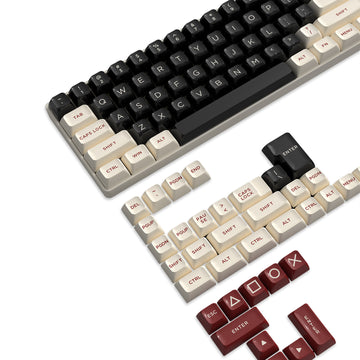



Choose a 75% keyboard when your desk is narrow, mouse room matters more than a numpad, and you rarely type long strings of numbers. Choose a full-size keyboard when frequent numeric entry, a dedicated numpad, or always-available utility keys matter more than saving a few inches of desk space.

Neither layout wins for gaming by default. The better fit depends on your desk width and the keys you actually reach for, not the "gaming keyboard" label on the box.
What a 75% Keyboard Keeps—and What Full-Size Adds
A common ANSI 75% layout keeps the main typing area, arrow keys, and function row while dropping the dedicated numpad. A full-size layout adds that numpad back without giving up anything else in the standard key set, based on a comparison of common keyboard sizes. Exact placement of navigation keys and media controls still varies by model, so treat the table below as a general guide, not a spec sheet for every product.
| Decision factor | 75% | Full-size |
|---|---|---|
| Desk footprint | Narrower, more mouse room | Wider, less lateral space |
| Arrow keys | Usually present | Present |
| Function row | Usually present | Present |
| Navigation keys | Often present, sometimes compressed | Present, standard placement |
| Numpad | Not included | Included |
| Media controls | Model-dependent, often layered | Model-dependent, sometimes dedicated |
| Gaming | Favors mouse-room-limited setups | Favors setups needing dedicated keys |
| Spreadsheets/data entry | Workable for occasional numbers | Better for frequent numeric entry |
| Programming/general work | Fine if shortcuts are direct | Fine, with more keys always visible |
| Small-desk fit | Better fit | Tighter fit |
The numpad is the clearest line between the two layouts. Everything else in the table is closer, and often comes down to how a specific model wires its function row, navigation cluster, and media keys rather than the layout percentage itself.
Which Layout Fits Gaming, Spreadsheets, and Programming?
The right layout changes with the task, not just the desk. Match your most frequent workflow to the scenario below instead of picking based on the gaming label alone.
Gaming on a Small Desk
Pick 75% when your current keyboard crowds your mouse and you never touch the numpad during play. The extra lateral space goes straight into mouse travel, which matters more on a small or shared desk than on a full-size setup where you already have room to spare. If your setup includes macros or shortcuts that live on a numpad, keep full-size in the running instead of assuming compact is always the gaming pick. For desk-specific measurements before you buy, our small-desk measurement guide walks through usable width, depth, and mouse clearance.
Spreadsheets and Numeric Entry
Frequent number and operator entry is the strongest case for full-size. A dedicated numpad speeds up one-handed number input compared with reaching across the top row every time, which matters for bookkeeping, invoicing, or repeated data entry. If your numeric entry is occasional, a 75% board can still work using the top number row or a separate plug-in keypad. The deciding factor is frequency: daily numpad use favors full-size, occasional use does not.
Programming and General Work
Both layouts can keep arrows, function keys, and standard navigation in reach on a common ANSI form factor. The catch is that some compact keyboards move function-key or navigation access behind an Fn or secondary layer instead of leaving it direct, and F-keys often carry program-specific shortcuts that programmers rely on constantly, per this overview of function key behavior. Check the exact model before assuming a 75% board gives you the same one-press access as full-size. Choose full-size when you want every utility key immediately available without checking a layer first.
Mixed Gaming-and-Work Desks
Choose 75% when gaming space is your daily priority and your work rarely needs a numpad. Choose full-size when spreadsheets, accounting, or other numeric-heavy tasks interrupt your day often enough that reaching for a workaround becomes annoying. When gaming and work pull in different directions, let your least-tolerant workflow decide. If numeric entry is the one task you can't compromise on, that alone should tip you toward full-size even if gaming space suffers a little.
Check the Exact Layout Before You Buy
A layout label tells you the general shape, not the exact keys and controls on the model you're about to buy. Confirm the specifics before checkout instead of assuming every 75% or full-size board behaves the same way.
- List the keys you actually need: numpad, arrow cluster, function row, navigation keys, and any media controls.
- Open the product's diagram or spec sheet and confirm each of those keys is present, not just implied by the layout name.
- Check whether any required key sits on an Fn or Mod layer instead of a direct press, and decide if that's acceptable.
- Measure your usable desk width and intended mouse travel, then compare that against the board's physical footprint.
- Match the result to a layout: pick a compact 75% board when the checks favor space and direct access, or a full-size board when the numpad or utility keys need to be built in.
As current examples of why this check matters, our M86 75% keyboard is listed as an 83-key 75% ANSI board, while our X98 full-size keyboard is listed as a 102-key layout. Two products can carry the same layout label and still differ in key count and control placement, which is exactly why the diagram matters more than the name on the box.

FAQs
Can a 75% keyboard replace a full-size keyboard if I only use a numpad occasionally?
Yes, if your numeric entry is occasional and you're fine using the top number row or plugging in a separate keypad when you need one. That workaround covers light, infrequent numeric tasks without giving up the extra desk space a 75% board provides. If you type numbers daily, run calculations often, or rely on a numpad for speed, the workaround becomes a daily annoyance and a full-size keyboard is the better long-term fit.
Do 75% keyboards still have dedicated arrow keys and a function row?
Yes. Most standard 75% ANSI keyboards retain dedicated arrow keys and a top function row, though the navigation cluster is compressed against the right edge. Check the exact model diagram before buying, as some compact designs place certain navigation or utility actions on secondary Fn layers.
Why do gamers often prefer a 75% keyboard over a full-size layout?
Gamers choose 75% keyboards primarily to gain lateral desk room for lower-sensitivity mouse sweeping. Removing the numeric keypad brings the mouse closer to the typing area, creating a more centered posture without removing the arrow or function keys used in games and system shortcuts.